What Is RevOps? SaaS Technical Definition (2026)

This technical breakdown contains affiliate links. If you deploy this stack using my links, I earn a commission at no extra cost to you.
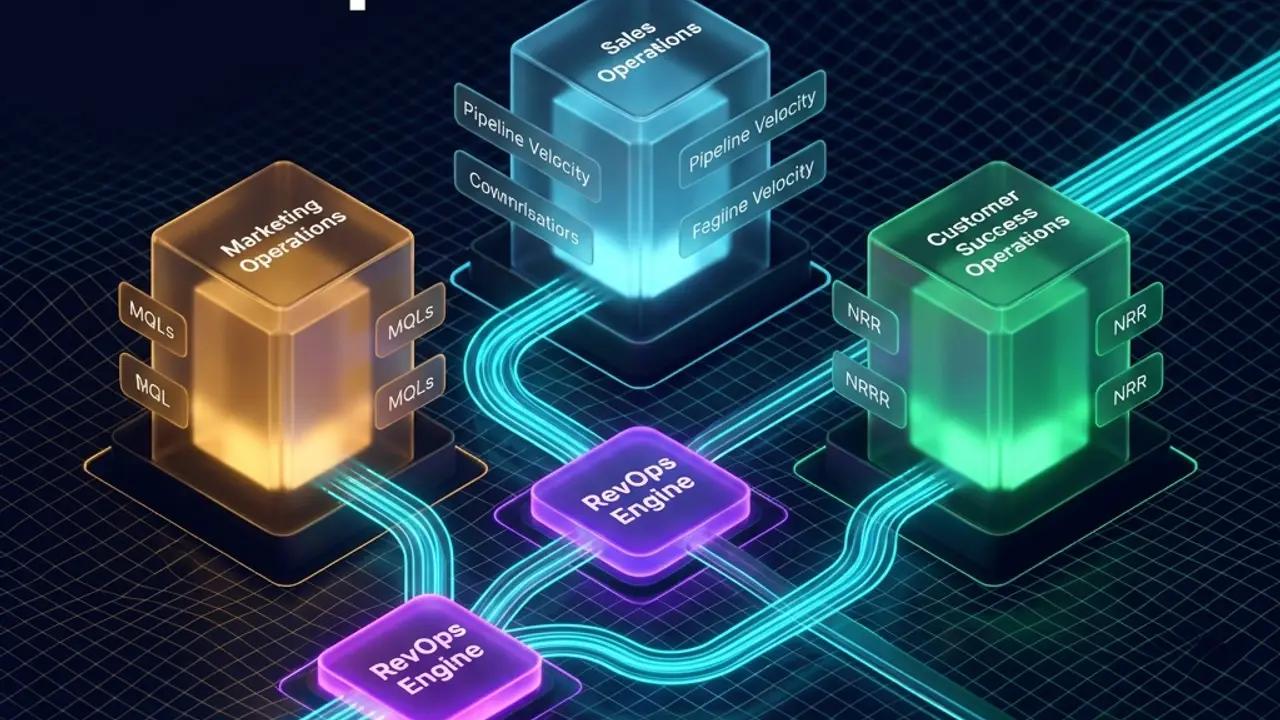
Direct Answer (Technical Definition of RevOps): Revenue Operations (RevOps) is not a management philosophy or a reorganization of sales meetings; it is the programmatic unification of data models, pipeline governance, and automation architecture across Marketing, Sales, and Customer Success. Rather than allowing HubSpot, Stripe, Apollo, and Product Telemetry to run in uncoordinated silos, a technical RevOps engine implements centralized event routing (via n8n or Kafka), standardized data schemas in PostgreSQL, and real-time lifecycle state machines that eliminate operational bottlenecks and protect SaaS gross margins.
If you have searched "what is RevOps" and landed on a post that opens with "RevOps stands for Revenue Operations and aligns your go-to-market teams" — close it. You already know that much. This post is the technical operator's definition: what RevOps actually is architecturally, why most SaaS teams implement it wrong, and exactly how to build it at your current ARR stage.
Revenue Operations (RevOps) is a centralized operational model that unifies Marketing, Sales, and Customer Success under a single data infrastructure, shared process design, and integrated technology stack — with the goal of creating predictable, full-lifecycle revenue growth.
It is not a team rename. It is not hiring a "RevOps manager" to fix your HubSpot. It is the plumbing of your entire revenue engine.
RevOps vs. Sales Ops vs. Marketing Ops: The Structural Difference
Most SaaS companies under $5M ARR operate what is technically called a Frankenstack — a collection of siloed ops functions that each optimize their own department metrics while accidentally destroying company-wide revenue predictability.
| Function | Scope | Primary Metric | Problem |
|---|---|---|---|
| Sales Ops | Sales team only | Quota attainment, pipeline activities | Cannot see marketing intent signals or CS churn patterns |
| Marketing Ops | Marketing team only | MQL volume, campaign attribution | Defines MQL differently than Sales defines SQL |
| CS Ops | Customer success only | NPS, renewal rate | Operates in a silo — no data bridge to Sales pipeline |
| RevOps | Marketing + Sales + CS + Finance | Predictable ARR, NRR, CAC:LTV | Unified — all teams share one source of truth |
The Frankenstack result: a deal closes in Salesforce but CS doesn't get the contract data for 48 hours. Marketing reports 400 MQLs; Sales says 12 of them were actually qualified. Finance's ARR number doesn't match the CRM. Sound familiar?
 Click to expand
The Three Silent Revenue Killers in Siloed Ops
- Siloed intent data: Your marketing platform knows a prospect visited your pricing page 6 times. Your SDR sending a cold sequence has no idea.
- Handoff friction: When a deal closes, someone manually copies contract terms into a CS onboarding sheet. This creates a 24–48 hour delay and immediate trust erosion with the customer.
- Silent sync failures: Native tool integrations sync on fixed schedules. When they fail (API limits, field mismatches), they fail silently — creating duplicate records and corrupted pipeline data nobody catches for weeks.
RevOps solves all three by establishing an orchestration layer (more on that below) that owns the data flow between every system.
The 4 Pillars of RevOps Architecture
Every mature RevOps function rests on four pillars. Weakness in any one of them makes the whole system unreliable.
Pillar 1 — Unified Data Infrastructure
Before you automate anything, every team must agree on what words mean. What counts as an MQL? At what point does a prospect become an SQL? What triggers a PQL (product-qualified lead)?
This sounds obvious. In practice, at most SaaS companies under $10M ARR, Marketing and Sales define these terms differently — and nobody has written it down.
The fix: Create a B2B field governance schema — a single document that defines every core GTM field, its data type, its allowed values, and who owns it. At minimum:
lifecycle_stage: subscriber → mql → sql → opportunity → customer → churnedlead_status: new → enrichment_pending → outreach_active → disqualifiedlead_source: exact UTM-mapped values (no free-text)automation_origin: automation_engine / human_rep / api_ingest
This schema is then enforced across your CRM, your work OS (e.g. monday.com), and your automation orchestrator (n8n), laying a structured data foundation similar to the Next.js and database architecture detailed in our Client Portfolio Delivery case study. If the data isn't standardized, your automations push garbage downstream.
Pillar 2 — Aligned Process Design & Handoffs
RevOps owns the documented workflow from first marketing touch → closed deal → CS onboarding → renewal → expansion. Every handoff between teams is a structured, automated trigger — not a Slack message.
The minimum viable handoff process map:
Marketing Touch → MQL Score Threshold →
n8n Webhook → Enrich via Apollo →
Lead Score → Route to SDR via Weighted Round-Robin →
Outreach Sequence (Brevo) → Meeting Booked →
CRM Stage Update → CS Onboarding Trigger
No step in this chain should require a human to manually move data between systems.
Pillar 3 — Integrated Technology Stack (n8n as the Orchestration Brain)
This is where most RevOps implementations fail. Teams buy expensive native integrations (HubSpot ↔ monday.com, Apollo ↔ Brevo) and assume the sync "just works." It doesn't.
Native integrations are designed for static data transfer. Production RevOps pipelines require dynamic conditional logic, deduplication, validation, and error routing — none of which native plugins provide.
n8n functions as your Central Nervous System: the API-first orchestration layer that sits between all your tools and owns every data movement decision. Unlike Zapier or Make, n8n lets you build production-grade workflows with:
- Custom JavaScript/Python logic inside Code Nodes
- Retry policies with exponential backoff
- Webhook signature validation
- Global Error Trigger catch-all with Slack DLQ alerts
- Self-hosted deployment for full data sovereignty
For a full teardown of this architecture, see our complete RevOps automation stack breakdown and the Apollo→Brevo→n8n pipeline walkthrough we built for a B2B SaaS client.
Pillar 4 — Measurement Cadence & Shared KPIs
RevOps replaces departmental metrics with a shared KPI stack that leadership reviews in one dashboard. Databox is the reporting layer we recommend for this — it pulls live data from HubSpot, monday.com, Google Analytics, Facebook Ads, and Stripe (which we integrated with a custom headless storefront in the Veloryc Premium E-Commerce case study) into a single real-time view.
The three metrics every RevOps function must track:
| Metric | Formula | Target |
|---|---|---|
| Sales Lead Velocity (SLV) | Time from webhook ingestion → SDR outreach task | < 60 seconds |
| Pipeline Coverage Ratio | Active pipeline / Revenue target × 100 | > 300% |
| Revenue Retention (NRR) | (Starting MRR + Expansion − Churn − Contraction) / Starting MRR | > 100% |
If your NRR is below 100%, no amount of new pipeline will save you. RevOps makes this visible — and fixable.
The 3-Tier RevOps Stack by ARR Stage
The most common RevOps mistake: copying an enterprise stack at the seed stage. If you deploy Salesforce, Gong, and LeanData at $500K ARR, the licensing costs and operational overhead will kill your team. Your stack must evolve with your revenue.
 Click to expand
Tier 1 — Under $2M ARR (The Lean Startup Stack)
Goal: Maximize lead ingestion speed and outbound reach with minimal maintenance overhead.
| Tool | Role | Cost |
|---|---|---|
| HubSpot CRM (Starter) | Single source of truth, pipeline, basic email | $50/mo |
| Apollo.io | Contact database, sequences, email verification | $49/mo |
| n8n (Self-hosted) | Orchestration brain — lead routing, enrichment, notifications | $0 (hosting ~$10/mo) |
| Brevo | Transactional email delivery, contact storage | $25/mo |
| Google Sheets | Lightweight reporting (which you can build using our guide to automate client reporting with n8n) | $0 |
At this stage, your n8n workflows are simple: webhook → Apollo enrich → Brevo contact create → Slack notify SDR. No round-robin routing needed. No complex ICP scoring yet. Just make sure every lead is captured, enriched, and notified — automatically.
See our Apollo.io lead enrichment pipeline tutorial for the exact workflow JSON.
Tier 2 — $2M–$10M ARR (The High-Velocity Scale-Up)
Goal: Scale outbound volume, automate post-sales CS handoffs, and track pipeline velocity in real time.
| Tool | Role |
|---|---|
| HubSpot CRM or Salesforce | CRM + single source of truth (more complex custom objects) |
| monday.com | Work OS — SDR task routing, CS onboarding boards, RevOps queues |
| Apollo.io + Clay | Enrichment with multi-source waterfall (Apollo → LinkedIn → Clearbit) |
| n8n Cloud | Central Nervous System — API-first orchestration across all tools |
| Brevo | Transactional + marketing email sequences |
| Databox | Real-time unified reporting dashboard pulling from CRM, Ads, Finance |
At Tier 2, you add weighted round-robin lead distribution (built in n8n, not a paid CRM add-on), bidirectional CRM↔monday.com sync, ICP scoring, and automated CS handoff triggers when a deal closes.
Tier 3 — $10M+ ARR (The Enterprise Infrastructure)
Goal: Predictive forecasting, conversation intelligence, and enterprise-grade data governance.
- Salesforce Enterprise with custom schemas and territory management
- Gong for conversation intelligence and deal health AI scoring
- Clay + ZoomInfo for enterprise enrichment waterfall
- LeanData for complex account-based routing
- n8n Self-Hosted as the orchestration layer for custom integrations that Salesforce's native connectors can't handle
- Databox or Tableau for executive-level reporting
Even at enterprise scale, n8n remains the orchestration layer for edge cases — custom field validation, legacy system integrations, real-time alert pipelines — because no iPaaS handles these as cleanly without engineering overhead.
Why n8n Beats Native Sync as Your RevOps Engine
We've referenced n8n throughout this post because it's the single tool that makes or breaks a RevOps implementation at any ARR stage. Here's the technical reason why native integrations fail and n8n succeeds:
graph LR
    A[CRM Event / Form Submit] --> B{n8n — Central Nervous System}
    B -->|Validate Schema| C[Field Governance Check]
    B -->|Enrich Contact| D[Apollo.io API]
    B -->|Score ICP| E[Custom Code Node]
    B -->|Route Lead| F[monday.com SDR Board]
    B -->|Trigger Email| G[Brevo Sequence]
    B -->|Alert Errors| H[Slack DLQ Channel]
    B -->|Log Everything| I[Google Sheets Audit Trail]
What native sync cannot do:
- Check if a contact already exists before creating a duplicate (deduplication)
- Route leads to different sequences based on ICP score thresholds
- Handle API rate limits gracefully with exponential backoff
- Catch and log silent failures to a Dead Letter Queue
- Validate field schemas before pushing dirty data downstream
- Prevent circular sync loops with origin metadata flags
What n8n does natively: all of the above, in a visual workflow editor, with custom JavaScript execution in Code Nodes (read our master list of n8n Tips and Tricks for advanced techniques), full error handling via Error Trigger, and zero vendor lock-in because it's open source.
This is why the Apollo→Brevo outbound pipeline we built for a client (which also uses custom Apollo n8n outreach setups) (which also uses custom Apollo n8n outreach setups) reduced lead-to-outreach time from 48 hours to under 4 minutes — the automation does what no native sync plugin can.
Week 1 RevOps Quick-Start Checklist
If you're starting from zero, here is the minimum viable RevOps implementation for a SaaS team under $2M ARR:
Day 1–2: Field Governance
- Define and document
lifecycle_stageandlead_statusvalues in your CRM - Standardize
lead_sourceto match UTM parameters exactly - Add
automation_origincustom field to your CRM (prevents circular sync loops)
Day 3–4: Orchestration Setup
- Deploy n8n self-hosted (Docker + Postgres + Redis on a $10/mo VPS)
- Build your first webhook → Apollo enrich → Brevo create workflow
- Add a Slack Error Trigger node for DLQ alerting
Day 5: Reporting
- Connect HubSpot/Salesforce, Google Analytics, and Brevo to Databox
- Create a shared dashboard with SLV, Pipeline Coverage, and NRR
- Schedule a weekly RevOps review meeting with Sales and CS leads
Day 6–7: Process Documentation
- Map every team handoff on a flow diagram (Miro or FigJam)
- Identify the top 3 manual tasks your team does that generate >1 hour/week of work
- Prioritize those 3 for automation in Week 2
Frequently Asked Questions
What does a RevOps team actually do day-to-day? A RevOps team owns four functions: maintaining the CRM data integrity, building and maintaining automation workflows (lead routing, enrichment, handoffs), managing the tech stack (contracts, integrations, upgrades), and running the weekly revenue forecast cadence. At early-stage SaaS companies, one RevOps architect handles all four; at scale, the function splits into RevOps Analysts, Engineers, and a VP of Revenue Operations.
When should a SaaS company hire a RevOps lead? Most founders wait too long. The right trigger is when you have more than two go-to-market motions running simultaneously (e.g. inbound + outbound) and your pipeline data is inconsistent between Marketing and Sales reports. That's the Frankenstack showing its cracks. Typically this happens between $500K and $2M ARR.
What's the difference between RevOps and CRM admin? CRM admin maintains your HubSpot or Salesforce — updating fields, managing users, fixing broken contacts. RevOps architects the strategy that determines what fields exist, what triggers automation, how leads flow, and how revenue is measured. CRM admin is a tactical execution role. RevOps is a strategic infrastructure role.
How long does it take to implement RevOps? A minimum viable RevOps function (field governance + basic orchestration + shared reporting) can be implemented in 2–4 weeks with the right tooling. A full enterprise-grade RevOps overhaul (Salesforce customization + n8n multi-workflow orchestration + Databox executive dashboards) typically takes 8–12 weeks. Our growth consulting service includes a 50-point RevOps audit delivered in 72 hours.
Can n8n replace a full RevOps platform like LeanData or Openprise? For most SaaS companies under $20M ARR — yes. LeanData and Openprise are purpose-built for enterprise-scale routing and deduplication at hundreds of thousands of leads per month. Below that volume, n8n's Code Nodes can replicate 90% of their functionality at a fraction of the cost. Above $20M ARR or 10K+ leads/month, a purpose-built platform starts making economic sense.
How do I know if my RevOps is working? Three metrics: (1) Sales Lead Velocity under 60 seconds from form submit to SDR outreach task. (2) Pipeline Coverage Ratio above 300%. (3) NRR above 100% (ideally 110–120% for healthy expansion revenue). If all three are green, your RevOps is functioning. If any one is red, you have a specific architectural problem to solve.
Architecture Verdict
RevOps is not a hire. It is not a HubSpot cleanup project. It is an architectural decision to run your entire revenue lifecycle as a single, automated, data-governed system — with n8n as the orchestration brain, monday.com as the work OS, Databox as the measurement layer, and Brevo as the outreach delivery engine.
The SaaS companies that implement this architecture early — even at $500K ARR with a lean Tier 1 stack — grow faster, forecast more accurately, and retain customers longer than those that rely on tribal knowledge and manual handoffs.
If you want a professional assessment of where your current stack stands and what it would take to build a production-grade RevOps infrastructure, book a strategy call or request a free technical audit.
Core Deployment Stack
To build this exact architecture in production, you will need the core infrastructure. I strictly use and recommend the following enterprise-grade platforms.
n8n Cloud
The most powerful fair-code automation platform. Get 20% off your first year on any paid plan.
Monday.com
The Work OS that lets you shape workflows, your way. Perfect for team scale.
Databox
Business analytics platform to build and share custom dashboards.
Brevo (formerly Sendinblue)
Enterprise-grade email API and marketing automation. Excellent SMTP for n8n.
Complementary RevOps Toolchain
Vultr High-Performance Cloud
Deploy self-hosted vector databases & AI infrastructure worldwide. Get $300 in free credit.
Pinecone Vector Database
The vector database for building AI applications. Essential for RAG architectures.
Qdrant Cloud
Rust-native vector search engine for the next generation of AI. Fast, scalable, and memory-efficient.
Ready to automate your agency?
Skip the manual grunt work. Let's build a custom system that runs your business on autopilot 24/7.