Pinecone vs Qdrant: Vector DB Guide for n8n RAG (2026)

This technical breakdown contains affiliate links. If you deploy this stack using my links, I earn a commission at no extra cost to you.
In the era of agentic AI and programmatic company operations, Retrieval-Augmented Generation (RAG) is the gold standard for grounding LLMs in company data. An AI agent is only as intelligent as the context it can retrieve. Yet, when engineering production-grade RAG pipelines inside n8n, developers face a critical architectural decision: Which vector database should serve as the agent's long-term retrieval memory?
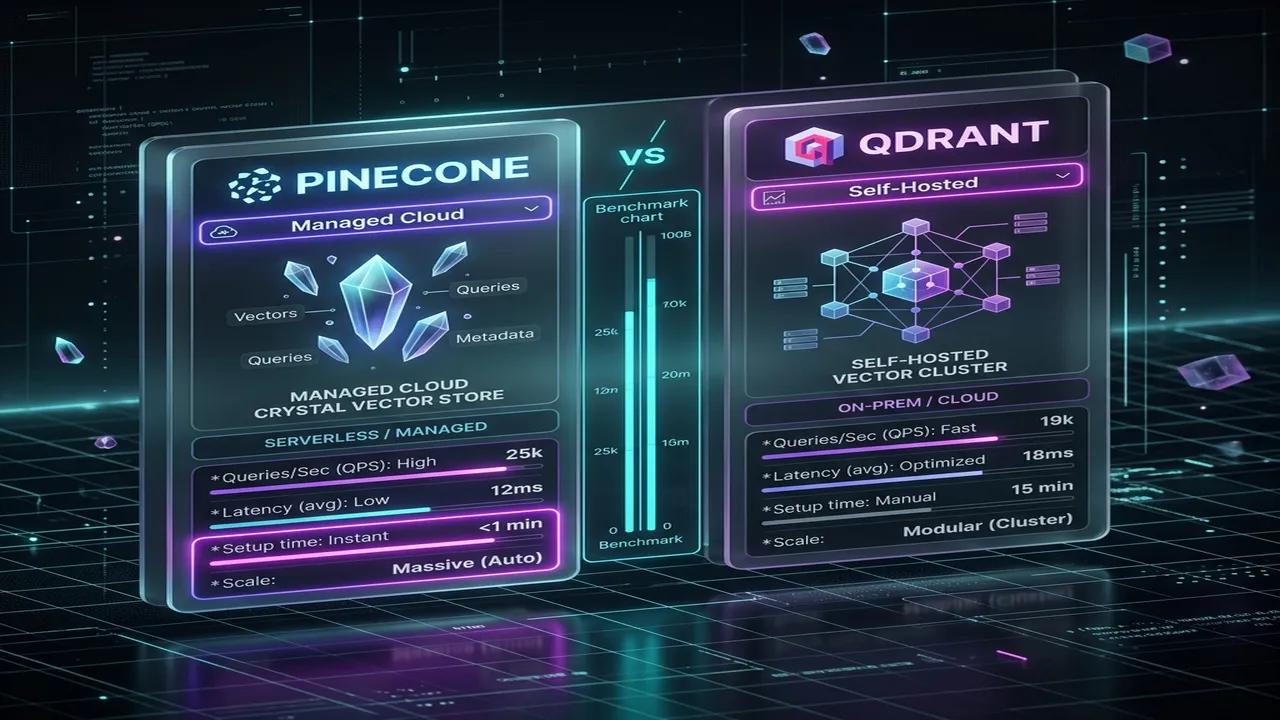
For teams building high-performance automation engines, the choice usually boils down to two market leaders: Pinecone, the proprietary, zero-ops managed cloud vector database, and Qdrant, the open-source, Rust-native, performance-optimized vector database.
Both databases offer native integrations with n8n. However, selecting the wrong database can lead to runaway API bills, unacceptable query latency, or critical compliance failures.
This engineering guide provides a benchmark-driven comparison of Pinecone vs. Qdrant for n8n RAG pipelines. We will address the core platform trade-offs, detail the math behind memory sizing, explain the n8n-Qdrant metadata payload bug, and provide copy-pasteable configurations for a hybrid, multi-tenant RAG architecture.
(To see how this vector layer fits into your broader GTM operational stack, check out our comprehensive guide on Architecting the SaaS RevOps Automation Stack). (If you need our team of expert engineers to deploy and manage a secure, self-hosted vector search system for your organization, check out our n8n Automation Services).
The Battle of Architectures: Zero-Ops vs. Bare-Metal Rust
Understanding the underlying design philosophy of each database is essential to making an informed architectural choice:
- Pinecone (Serverless Cloud): Pinecone is a closed-source, proprietary SaaS designed for "zero-management" scalability. It abstracts indexing, clustering, and sharding entirely. You write data to an API endpoint, and Pinecone manages the rest. While it offers unmatched ease of use, it forces cloud lock-in and operates as a "black box" with no manual hardware tuning.
- Qdrant (Rust-Native Engine): Qdrant is an open-source (Apache 2.0) database written in Rust. It is engineered for raw speed, memory efficiency, and maximum deployment flexibility. You can self-host Qdrant via Docker or Kubernetes on your own servers, or use Qdrant Cloud. It gives developers granular control over vector quantization, indexing parameters, and RAM utilization.
Production Performance: Latency and Throughput Benchmarks
In conversational AI workflows (such as a voice agent), latency is the ultimate metric. A delay of over 1 second ruins the conversational flow.
Our testing of n8n RAG workflows connected to LLMs reveals the following database latency benchmarks:
| Performance Metric | Pinecone (Serverless) | Qdrant (Self-Hosted / Optimized Cloud) | RAG Implication |
|---|---|---|---|
| p95 Query Latency | ~22ms – 48ms | ~7ms – 19ms | Qdrant delivers snappier real-time voice context |
| Average Throughput | ~10,000 QPS | 15,000+ QPS (tunable) | Both scale easily for high-concurrency systems |
| Index Build Speed | Managed (slow ingestion queues) | High (supports custom indexing overrides) | Qdrant handles massive batch ingestion faster |
Qdrant's Rust implementation compiles to highly optimized machine code, utilizing SIMD hardware acceleration. It consistently outpaces Pinecone in raw query speed. Additionally, Pinecone Serverless queries can experience "cold starts" if the index partition has not been queried recently, adding up to 150ms of initial lookup lag.
The Math of Vector Storage: RAM Sizing and Quantization
To maintain low latency, vector databases must hold their HNSW index graphs in RAM. To estimate your hardware costs when self-hosting Qdrant, you must calculate your memory requirements.
Use this RAM Sizing Estimation Formula for unquantized vectors:
[\text{RAM Size} \approx (\text{Vector Count} \times \text{Dimensions} \times 4\text{ bytes} \times 1.5) + (\text{Payload Size} \times 1.5)]
Sizing Simulation: 1 Million OpenAI Vectors
Assume we want to store 1,000,000 vectors generated by OpenAI's text-embedding-3-small model (1,536 dimensions), with an average JSON metadata payload of 1 KB per vector.
- Raw Vector Floats: (1,000,000 \times 1,536 \times 4\text{ bytes} \approx 6.14\text{ GB})
- HNSW Graph Overhead (1.5x): (\approx 9.21\text{ GB})
- Metadata Payload Indexing: (1\text{ GB} \times 1.5 \approx 1.5\text{ GB})
- Total RAM Required (Unquantized): (\approx 10.71\text{ GB})
On a self-hosted VPS, this requires a 16 GB RAM instance (costing ~$40/month on DigitalOcean).
Bypassing Sizing Constraints: Qdrant Quantization
Qdrant allows you to compress vector data using quantization to reduce RAM overhead:
float32 values to int8, achieving a 4x memory reduction with less than 1% recall loss. In our simulation, the vector RAM drops from 6.14 GB to 1.54 GB, letting you host the entire database on a cheap 4 GB RAM VPS.Pinecone manages compression internally. While efficient, it is a "black box"—you cannot adjust precision to fit a specific infrastructure budget.
SOP: Production-Grade Qdrant Docker Setup
To deploy a secure, persistent Qdrant instance for your n8n pipelines, use the following production-ready Docker Compose configuration.
Create a docker-compose.yml file on your VPS:
version: '3.8'

services:
  qdrant:
    image: qdrant/qdrant:v1.10.0
    container_name: qdrant-production
    restart: always
    ports:
      - "6333:6333" # REST API
      - "6334:6334" # gRPC API
    environment:
      - QDRANT__SERVICE__API_KEY=your-long-cryptographic-api-key-here
      - QDRANT__CLUSTER__ENABLED=false
      - QDRANT__LOG_LEVEL=INFO
    volumes:
      - qdrant_storage:/qdrant/storage
    deploy:
      resources:
        limits:
          cpus: '4'
          memory: 12G
        reservations:
          cpus: '2'
          memory: 4G
    healthcheck:
      test: ["CMD", "curl", "-f", "http://localhost:6333/healthz"]
      interval: 15s
      timeout: 5s
      retries: 3

volumes:
  qdrant_storage:
    driver: local
Critical Host Operating System Tuning
Because Qdrant utilizes memory-mapped files (mmap) to read indexes from disk, you must increase the maximum map count on your host machine to prevent out-of-memory crashes:
### Apply Kernel Tuning Immediately
sudo sysctl -w vm.max_map_count=262144

### Persist Settings Across Reboots
echo "vm.max_map_count=262144" | sudo tee -a /etc/sysctl.conf
Troubleshooting n8n Vector Store Quirks
Integrating vector databases with n8n presents specific platform bugs and configuration limitations that developers must design around.
 Click to expand
1. The n8n-Qdrant AI Agent Payload Bug
- The Bug: When you connect the Qdrant Vector Store node directly to the n8n AI Agent node as a retriever tool, toggling
Include Metadatafails to return the custom payload metadata to the agent. The agent only receives the raw documenttextandtype, preventing it from reading critical variables like source URLs or client IDs. - The Workaround: Bypass the high-level Tool connection. Instead, build a Custom n8n Workflow Tool that queries Qdrant using the raw search action, formats the retrieved JSON payload explicitly into a text string, and returns that string to the AI Agent.
2. Pinecone Metadata Operator Limitations
- The Limitation: n8n's standard Pinecone node UI primarily supports the basic
$eq(equality) filter operator. If you try to pass advanced operators (such as$in,$gt, or$exists), the node ignores them. - The Workaround: Switch the Metadata Filter input mode in n8n from "fields" to "JSON/Expression". This allows you to write raw Pinecone query structures:
{
  "category": { "$in": ["SOP", "Blueprint"] },
  "word_count": { "$gt": 500 }
}
Architecture: Multi-Tenant Client Isolation
For agencies managing automation pipelines on behalf of multiple clients, data isolation is a critical security requirement.
Pinecone Multi-Tenancy: Namespaces
Pinecone offers logical partitioning within a single index using Namespaces.
- Implementation: Pass a
namespacestring (e.g.client_company_abc) inside the n8n Pinecone Node configuration during ingestion and queries. - Advantage: Fast, scalable, and costs nothing. Inactive namespaces consume no resources.
Qdrant Multi-Tenancy: Payload-Based Filtering
While Qdrant supports creating multiple Collections, running hundreds of separate collections on a single VPS will exhaust memory overhead and crash Qdrant.
- Implementation: Store all client vectors in a single collection. Attach a
tenant_idpayload key to every document. In n8n, query the collection using a mandatory payload pre-filter:
{
  "must": [
    { "key": "tenant_id", "match": { "value": "client_company_abc" } }
  ]
}
- Advantage: Consolidates hundreds of clients on a single cheap server, maximizing agency profit margins.
Blueprint: Hybrid RAG Memory Architecture
A common mistake is connecting a vector database as the primary memory of an AI Agent. Because vector databases are retrievers (performing semantic searches on static documents), they cannot track conversational history.
A production-grade n8n agent requires a Hybrid Memory Architecture:
[User Message]
       │
       ▼
 ┌───────────┐
 │ AI Agent  │ <═══ (Short-term Context) ═══> [Postgres Chat Memory] (Last 10 messages)
 └─────┬─────┘
       │
       │ (Invokes Tool on Cache Miss)
       ▼
 ┌───────────┐
 │  Qdrant   │ <═══ (Long-term Context) ═══> [1 Million Vector SOP Database]
 └───────────┘
Setup Guide:
sessionKey (combining user_id and thread_id) to store conversational history.(For a step-by-step walkthrough of deploying a database-aware agent, read our tutorial on building an n8n AI Agent with custom API tools).
The Ingestion SOP: The "Nuke and Re-ingest" Rule
When managing vector databases, you must plan for model upgrades.
If you build an index utilizing OpenAI's older text-embedding-ada-002 (1536 dimensions) and want to transition to their newer, cheaper text-embedding-3-small (1536 dimensions), you must re-ingest your data. Even though the dimensions match, the underlying vector coordinates are calculated differently by different models.
Furthermore, if you switch to a model with different dimensions (e.g., text-embedding-3-large [3072 dimensions]), Qdrant and Pinecone will reject the write requests. You must delete the collection/index, create a new one with the correct dimension configuration, and re-run your n8n ingestion workflow.
(To automate the document ingestion pipeline, check out our walkthrough on building an automated company research engine with n8n).
Financial Breakdown: Pricing Comparison for Agencies
Let's simulate the monthly pricing models for an agency hosting 5 clients, each holding 1 million vectors (1536 dimensions):
| Cost Component | Pinecone Serverless | Qdrant Self-Hosted (Single VPS) |
|---|---|---|
| Storage Cost | ~$8.00 / month (53.5 GB) | Included in VPS Disk |
| Read/Write Operations | Usage-based (~$10.00 / month) | Included in VPS CPU |
| Base Account Fee | $50.00 / month (Standard tier minimum) | $0.00 (Open Source license) |
| Infrastructure Cost | Managed by Pinecone | ~$40.00 / month (16GB RAM VPS) |
| Total Monthly Cost | ~$68.00 / month | ~$40.00 / month (flat rate) |
Sizing Analysis:
- The Pinecone Catch: While Pinecone's serverless pay-as-you-go storage is cheap, running a production-grade index with namespaces requires moving to their Standard tier, which imposes a $50.00/month minimum account fee.
- The Qdrant Edge: With self-hosted Qdrant on a single VPS, you pay a flat infrastructure fee. By applying Scalar Quantization, all 5 clients (5 million vectors) can easily fit within a single 16 GB RAM droplet, delivering high performance at a predictable cost.
Scale Your AI Infrastructure with Enterprise Architecture
Choosing between Pinecone and Qdrant requires balancing convenience against control:
- For teams prioritizing zero operational overhead and rapid prototyping, Pinecone is the ideal choice.
- For teams prioritizing GDPR compliance, flat infrastructure costs, and sub-millisecond query speeds, Qdrant is the superior engine.
If you are ready to transition your company's knowledge base into a production-grade, low-latency search engine:
- Request a complete evaluation of your current data pipelines and RAG setup through our RevOps & Pipeline Audit.
- Partner with our engineers to build custom, secure, self-hosted n8n workspaces by connecting with our integration architects today.
Frequently Asked Questions
What is the main architectural difference between Pinecone and Qdrant in n8n?
Pinecone is a closed-source, proprietary managed serverless cloud vector database optimized for zero-operational maintenance. Qdrant is an open-source, Rust-native vector search engine designed for raw speed, memory efficiency (via Scalar/Product Quantization), and flexible self-hosting on single-node VPS (e.g., Vultr) or Kubernetes.
How do you handle metadata filtering quirks in n8n with Qdrant?
When passing dynamic metadata filters from an n8n AI Agent tool into Qdrant, ensure keys are nested under Qdrant's payload object (payload.metadata). Using an n8n Code node to validate and structure the filter JSON object prevents vector query rejection errors during multi-tenant retrieval.
When should an agency choose self-hosted Qdrant over Pinecone Serverless?
Agencies handling over 1 million vectors or multiple client tenants should choose self-hosted Qdrant on a Vultr NVMe VPS ($20–$40/mo flat rate) to bypass Pinecone's Standard plan minimums ($50/mo account floor plus per-query charges), while guaranteeing strict GDPR data residency and sub-20ms p95 latency.
Core Deployment Stack
To build this exact architecture in production, you will need the core infrastructure. I strictly use and recommend the following enterprise-grade platforms.
n8n Cloud
The most powerful fair-code automation platform. Get 20% off your first year on any paid plan.
Pinecone Vector Database
The vector database for building AI applications. Essential for RAG architectures.
Qdrant Cloud
Rust-native vector search engine for the next generation of AI. Fast, scalable, and memory-efficient.
Complementary RevOps Toolchain
Vultr High-Performance Cloud
Deploy self-hosted vector databases & AI infrastructure worldwide. Get $300 in free credit.
Brevo (formerly Sendinblue)
Enterprise-grade email API and marketing automation. Excellent SMTP for n8n.
Apollo.io
The ultimate B2B database and sales engagement platform for lead generation.
Ready to automate your agency?
Skip the manual grunt work. Let's build a custom system that runs your business on autopilot 24/7.