[2026 Blueprint] SaaS RevOps Automation Stack in n8n

This technical breakdown contains affiliate links. If you deploy this stack using my links, I earn a commission at no extra cost to you.
Direct Answer (SaaS RevOps Automation Stack in 2026): Scaling B2B SaaS companies eliminate pipeline bottlenecks and Frankenstack data drift by orchestrating a 3-tier RevOps engine in self-hosted n8n. Using event-driven webhooks between Stripe (billing), HubSpot (CRM), Apollo (enrichment), and Slack (sales alerts), n8n executes weighted Round-Robin lead distribution, calculates Product-Qualified Lead (PQL) health scores, and resolves circular sync loops in under 60 seconds without multi-thousand-dollar enterprise iPaaS subscriptions.
counts in a third.
This fragmented structure, known as a Frankenstack, results in data drift, high customer churn, and massive manual pipeline bottlenecks.
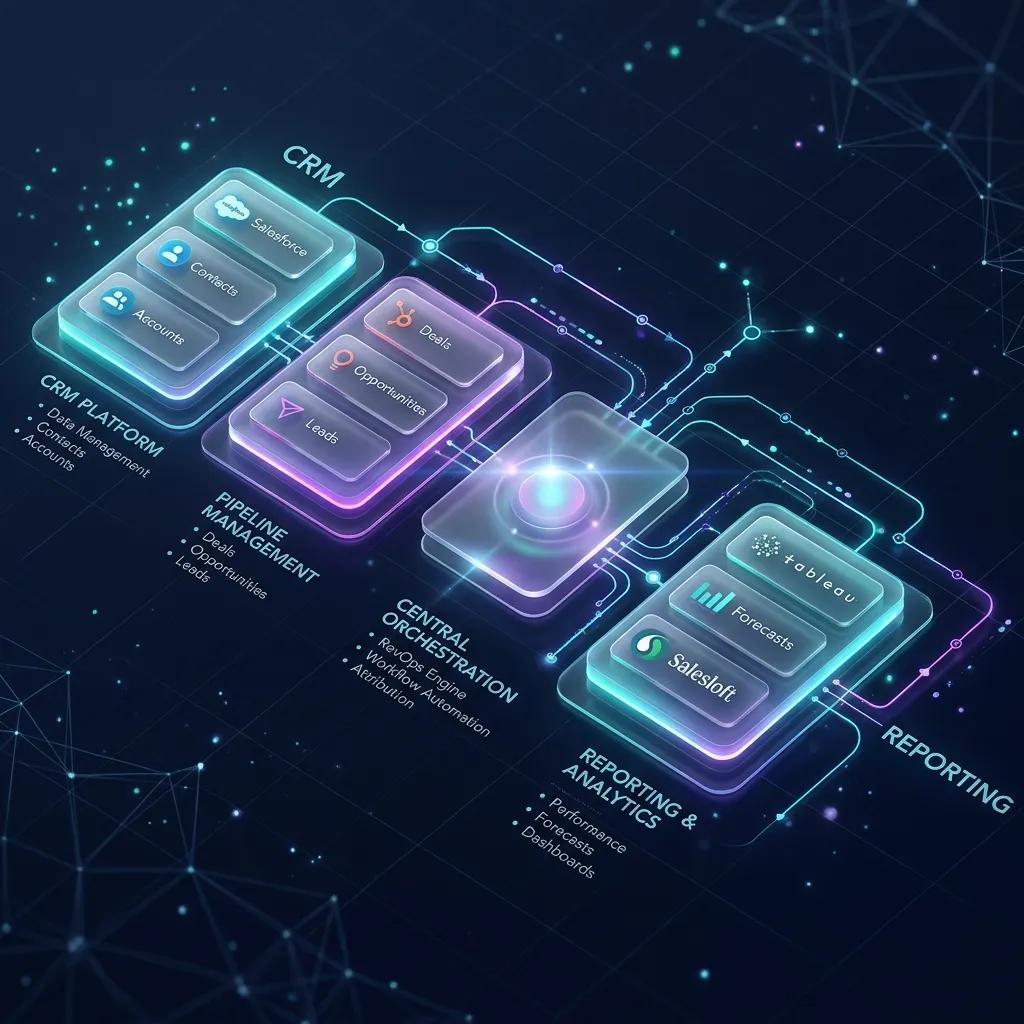
To scale predictably, high-velocity teams abandon fragmented point solutions in favor of a highly orchestrated RevOps automation stack. By establishing a CRM foundation, an API-first orchestration brain (n8n), a centralized process workspace (monday.com), and a real-time analytics hub (such as the Databox RevOps Dashboard), you can eliminate manual bottlenecks and let your revenue operations run on autopilot. This guide provides a complete, production-grade architectural teardown of the modern RevOps stack in 2026.
The Frankenstack Epidemic: Why SaaS Pipelines Bleed Revenue
A Frankenstack is an integrated collection of software tools that have been patched together using fragile, out-of-the-box native sync plugins.
While each individual tool (e.g. your email marketing platform or outbound sales tool) is powerful, the connections between them are brittle.
graph TD
    A[Marketing Leads Silo] -->|Fragile Sync| B[CRM System]
    C[Outbound Sales Tool] -->|Silent Failures| B
    B -->|No Automation| D[CS Onboarding Sheets]
    B -->|Manual Reporting| E[Static Spreadsheets]
The Three Silent Killers of SaaS GTM Pipelines:
- Siloed UTM Telemetry: When a prospect interacts with a marketing campaign but outbound sales reps cannot see their high-intent search signals, the outreach is generic, driving conversion rates down.
- Manual Data Ingestion Latency: When a deal closes, CS managers must manually copy contract details, create onboarding boards, and set up slack channels. This manual overhead creates a 24-to-48-hour onboarding delay, immediately impacting customer trust.
- Silent Native Sync Failures: Out-of-the-box plugins sync data at fixed intervals. If an API limit is reached or a custom field mismatch occurs, the sync fails silently, creating duplicate records and dirty pipelines.
To solve this, RevOps architects must transition from simple "native plug-and-play" connections to a centralized, API-first orchestration layer.
 Click to expand
The 3-Tier RevOps Stack Lifecycle Blueprint
A common mistake is copying an enterprise stack too early. If a seed-stage startup deploys Salesforce, Gong, and LeanData, the licensing costs and technical overhead will drown the team.
Your stack must evolve naturally with your Revenue and scale.
Tier 1: The Lean Startup Stack (under $2M ARR)
- Goal: Maximize lead ingestion speed and outbound outreach with minimal maintenance overhead.
- Foundation: HubSpot CRM (acting as CRM, marketing hub, and simple sales pipeline).
- Enrichment: Apollo.io (direct email and phone number matching).
- Orchestration: n8n (triggering automated lead routing and simple notifications).
Tier 2: The High-Velocity Scale-Up Stack ($2M - $10M ARR)
- Goal: Scale outbound outbound volumes, automate post-sales CS handoffs, and track pipeline velocity in real time.
- Foundation: HubSpot CRM or Salesforce (as the Single Source of Truth).
- Work OS: monday.com (to manage client onboarding, SDR task routing, and custom RevOps queues).
- Orchestration: n8n Cloud (operating as the API-first Central Nervous System).
- Analytics: Databox (pulling real-time statistics from CRM, advertising platforms, and financial sheets into one unified, live dashboard).
Tier 3: The Enterprise Infrastructure ($10M+ ARR)
- Goal: Predictive forecasting, conversation intelligence, and enterprise-grade data governance.
- Foundation: Salesforce Enterprise (highly customized schemas).
- Revenue Intelligence: Gong and Clari (for AI-driven deal health tracking and forecasting).
- Enrichment: Clay (orchestrating multiple data scrapers) and ZoomInfo.
- Orchestration: n8n Self-Hosted + LeanData (highly complex routing logic).
The Orchestration Layer: Why API-First n8n Beats Native Sync
Native sync plugins are designed for static data transfer. If Field A changes in HubSpot, change Field A in monday.com.
However, production RevOps pipelines require dynamic conditional logic, validation filters, and error routing.
graph LR
    A[CRM Event] --> B{n8n Central Nervous System}
    B -->|Check Rate Limit| C[Enrichment API]
    B -->|Format Text| D[monday.com Work OS]
    B -->|Alert Errors| E[Slack DLQ Channel]
By deploying n8n as your central RevOps broker, you decouple your applications. n8n acts as the central brain that:
(To see this orchestration brain in action, read our master tutorial on building a production n8n lead enrichment pipeline with Apollo).
 Click to expand
The 'Data Gravity' Challenge: Solving Bidirectional Sync and Circular Loops
When syncing contacts bidirectionally between your CRM and your Work OS (e.g. monday.com), you run into a classic engineering bottleneck: The Infinite Circular Sync Loop.
Change in HubSpot CRM ➡️ Triggers Webhook ➡️ Updates monday.com Board
                                                     ⬇️
Updates HubSpot CRM ⬅️ Triggers Webhook ⬅️ monday.com Board Detects Change
This infinite loop will completely deplete your API limits within minutes and corrupt your database history logs.
The Solution: Metadata Modification Filters
To build a bulletproof bidirectional sync, you must implement an automation-origin filter inside your n8n webhook ingestion loops.
- Step 1: Create a System Field: In both your CRM and monday.com, create a custom text field named
Last_Modified_By(orAutomation_Origin_ID). - Step 2: Tag Automation Updates: In every n8n update node, explicitly pass the value
"automation_engine"(or your unique webhook ID) into theLast_Modified_Byfield. - Step 3: Webhook Filter Check: At the very beginning of both your CRM and monday.com webhook ingestion workflows, insert an n8n IF Node to evaluate:
JSON Payload
// If the last update was triggered by the automation, exit immediately! {{ $json.body.Last_Modified_By === 'automation_engine' }} - Step 4: Decouple Branches: If
true, route the workflow to an immediate Stop Node (or200 OKreturn), terminating the loop gracefully. Iffalse(meaning a human sales rep manually updated a field), allow the sync to continue.
Weighted Round-Robin & Account-Based Routing (The Orchestration Math)
Out-of-the-box CRMs charge hefty fees for advanced lead routing add-ons.
By combining n8n and monday.com, you can construct a highly flexible, weighted Round-Robin distribution pipeline for free.
The Routing Architecture:
Sales Roster containing a column for Sales Rep name, active email, capacity weight (e.g. 1 for junior, 2 for senior), and a Last_Assigned_At timestamp.// Sort reps by Last_Assigned_At ascending (oldest assignment wins)
const reps = $input.all();
reps.sort((a, b) => new Date(a.json.Last_Assigned_At) - new Date(b.json.Last_Assigned_At));
// Select the next rep and update their assignment timestamp
const selectedRep = reps[0].json;
return {
selectedRepEmail: selectedRep.email,
selectedRepName: selectedRep.name
};
Reverse ETL & Product-Led Growth (PLG) Pipeline Setup
For modern B2B SaaS teams, product usage data is the single most valuable lead source.
When a trial user invite 5 teammates, creates a custom template, or runs out of credits, these usage signals must be synced directly to your sales outreach pipeline.
Instead of paying for expensive specialized Reverse ETL tools, you can build a native sync loop in n8n:
- Ingestion: A scheduled cron node queries your product database (e.g., Snowflake, BigQuery, or Postgres) every hour, extracting users whose activity exceeds your target milestone.
- Filter: An n8n filter node checks if these users are already marked as opportunities inside the CRM.
- Action: For qualified accounts, the system automatically creates a Product-Qualified Lead (PQL) task on monday.com, updates the CRM, and triggers a high-conversion transactional email sequence using Brevo or HubSpot.
The B2B SaaS Field Governance Checklist (Standardizing the Schema)
A unified RevOps stack is only as strong as its underlying data hygiene.
Before automating any workflow, you must standardize your core GTM fields across your CRM, Work OS, and reporting databases:
| Standard Field Key | Expected Data Type | Standardized Values / Format | Operational Purpose |
|---|---|---|---|
| lifecycle_stage | Dropdown / Select | subscriber, mql, sql, opportunity, customer, churned | Tracks overall funnel position and triggers stage transitions. |
| lead_status | Dropdown / Select | new, enrichment_pending, outreach_active, disqualified | Controls SDR outreach tasks and deduplication flows. |
| firmographic_headcount | Integer Range | 1-10, 11-50, 51-200, 201-500, 500+ | Segments accounts and triggers customized routing rules. |
| automation_origin_id | String | automation_engine, human_rep, api_ingest | Metadata tag to prevent infinite circular sync loops in n8n. |
Outsource vs. In-House: The Automation Architect's Verdict
When deploying enterprise-level GTM automation, SaaS founders frequently face a classic dilemma: Should we build this pipeline in-house or outsource it to a dedicated automation architect?
While n8n makes workflow orchestration visual, maintaining production-grade pipelines at scale requires deep infrastructure expertise:
- In-House Setup: Requires dedicating engineering resources to monitor API rate limits, update database schemas when APIs change, build error-alert structures, and manage hosting servers. This distracts your core product team from building your actual SaaS features.
- Outsourced RevOps Partner: Outsourcing to an experienced automation agency guarantees that your pipeline is built on resilient, asynchronous, self-healing frameworks with complete multi-tool integrations (ManyChat, Apollo, Brevo, HubSpot, etc.). It gives you a production-ready engine on Day 1 without hiring full-time engineers.
If you are looking to scale your B2B outbound operations, audit your pipeline, or deploy custom integrations that run 24/7 on autopilot, get in touch with our team today to discuss your next RevOps & Pipeline Strategy.
Verification: Tech Stack Performance Telemetry
To confirm that your unified RevOps automation stack is operating at peak performance, monitor these three critical business metrics:
- Sales Lead Velocity (SLV): The time from raw webhook ingestion to SDR outreach task creation. A high-performance automated pipeline must keep this < 60 seconds.
- Sync Mismatch Rate: The percentage of database synchronization errors (circular loops or custom field crashes). Target: 0% (fully safeguarded by metadata tracking filters).
- Active Pipeline Coverage: The percentage of inbound and product leads successfully enriched and routed to active sales tracks. Target: > 98% tracking coverage.
Deploy this automation stack today, eliminate manual outbound bottlenecks, and let your revenue operations run on autopilot!
Frequently Asked Questions
What is the biggest cause of data drift in a SaaS RevOps Frankenstack?
Data drift occurs when disparate point solutions (e.g. CRM, billing platform, email sequencer) trigger independent webhook updates on the same contact or company record simultaneously. Without a centralized orchestration bus like n8n with timestamp-based state locking, bi-directional syncs overwrite accurate data with stale cached properties.
How does weighted Round-Robin lead routing work inside an n8n Code Node?
An n8n JavaScript Code Node retrieves the current SDR availability and capacity weights from a PostgreSQL database or Redis hash. When a high-intent lead enters the webhook, the algorithm calculates the quota variance for each online sales rep, assigns the lead to the rep with the highest capacity deficit, and updates the timestamped state atomically to prevent race conditions.
How do you prevent circular webhook sync loops between HubSpot, Stripe, and PostgreSQL?
To break circular sync cascades, every database write executed by n8n injects an origin_source: "n8n_sync" metadata attribute into the record payload. Webhook entry triggers evaluate this tag before processing: if the incoming webhook contains origin_source === "n8n_sync", execution terminates immediately with an HTTP 200, preventing redundant downstream updates.
Core Deployment Stack
To build this exact architecture in production, you will need the core infrastructure. I strictly use and recommend the following enterprise-grade platforms.
n8n Cloud
The most powerful fair-code automation platform. Get 20% off your first year on any paid plan.
Monday.com
The Work OS that lets you shape workflows, your way. Perfect for team scale.
Databox
Business analytics platform to build and share custom dashboards.
Complementary RevOps Toolchain
Vultr High-Performance Cloud
Deploy self-hosted vector databases & AI infrastructure worldwide. Get $300 in free credit.
Brevo (formerly Sendinblue)
Enterprise-grade email API and marketing automation. Excellent SMTP for n8n.
Pinecone Vector Database
The vector database for building AI applications. Essential for RAG architectures.
Ready to automate your agency?
Skip the manual grunt work. Let's build a custom system that runs your business on autopilot 24/7.