Automated Content Research: Build an Infinite Strategy Engine with n8n | Day 15

This technical breakdown contains affiliate links. If you deploy this stack using my links, I earn a commission at no extra cost to you.
By Alfaz Mahmud Rizve | RevOps & Full Stack Automation Architect at whoisalfaz.me
You know you need to publish content to grow your SaaS or agency. But staring at a blank Google Doc while frantically searching Google Trends for "trending topics" or scrolling through Reddit for inspiration is not a strategy. It is a recipe for burnout.
When I audit marketing operations at high-growth agencies, I consistently find that content teams spend 80% of their time researching and only 20% writing. They get stuck in analysis paralysis, trying to find the "perfect" keyword or the perfect angle.
What if you could completely flip that ratio?
Welcome to Day 15 of our 30 Days of n8n & Automation sprint. In our previous builds, we engineered client onboarding pipelines and automated marketing reporting dashboards (Day 14). Today, we are moving upstream to the absolute top of the funnel. We are going to build a system for automated content research that scrapes the internet for high-value topics, filters out the noise, uses AI to generate unique writing angles, and delivers them directly into a Google Sheet database before you even wake up.
We are going to stop guessing. We are going to build your infinite strategy engine.
The Architectural Mandate: Why Manual Research Kills Momentum
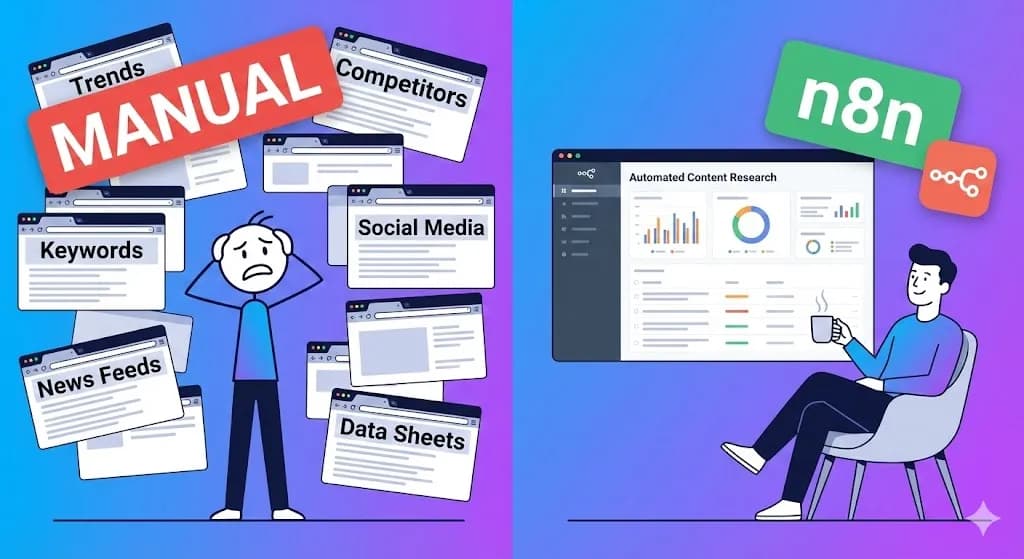
Manual research is slow, inherently biased, and hopelessly inconsistent. You might check a competitor's blog on Monday, forget to check on Tuesday because of a client fire, and spend three hours falling down a Twitter rabbit hole on Wednesday. This inconsistency leaves massive gaps in your content calendar.
Automated content research fundamentally shifts your operations by standardizing the intake of market intelligence. It ensures you never miss a trend because a server is watching the market for you 24/7. It separates the gathering of ideas from the execution of ideas.
When you deploy this architecture, you completely eliminate the dreaded "what should we write about this week?" meeting. When your writers open their laptops on Monday morning, a fully populated Kanban board of trending topics, AI-generated outlines, and virality scores is already waiting for them.
 Click to expand
This specific n8n workflow is engineered for:
- SaaS Founders: Monitoring industry news, competitor changelogs, and feature requests.
- SEO Strategists: Tracking keyword shifts and news cycles without paying for expensive SEO software seats.
- Agencies: Generating endless topic lists for client retainers without billing manual research hours to the client.
Infrastructure Prerequisites: The Research Stack
To build this engine, we need three core components: an Orchestrator, a Data Source, and an Intelligence Layer.
(Architect's Note: Because this workflow relies on a strict daily cron schedule, you cannot execute it reliably on a sleeping local machine. I strongly recommend hosting this on a dedicated Vultr VPS or an active n8n Cloud instance).
NewsAPI.org because it provides a highly accessible JSON REST API that searches over 150,000 news sources and blogs. You must generate a free API key from their developer dashboard before proceeding.Phase 1: The "Wake Up" Trigger (Cron Scheduling)
We want this report ready before you log in. Consistency is the heartbeat of automated content research.
- Create a new n8n workflow named
Core: AI Content Research Engine. - Add a Schedule Trigger node.
- Trigger Interval: Days.
- Hour: 6:00 AM.
By setting this to run daily at dawn, you remove human willpower from the equation. You do not have to "decide" to do research today; the research simply happens.
Phase 2: Fetching Market Intelligence (HTTP Request)
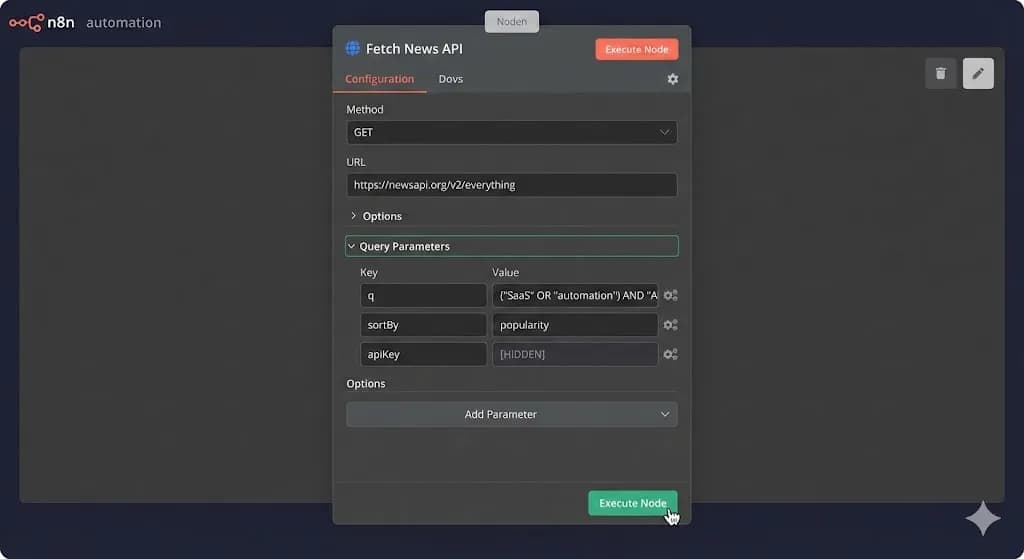
Now, we connect our server to the global news cycle. We will use the native HTTP Request node to query the NewsAPI /v2/everything endpoint.
- Attach an HTTP Request node to your trigger.
- Method:
GET. - URL:
https://newsapi.org/v2/everything. - Send Query Parameters: Toggle this to
True.
Here is exactly how to configure your query parameters to filter out the noise and return only hyper-relevant SaaS and RevOps data:
- Name:
q| Value:("SaaS" OR "marketing automation") AND "AI"(We use Boolean logic here to force the API to only return articles mentioning AI alongside our core niches). - Name:
sortBy| Value:popularity(Do not sort bypublishedAt. You will get overwhelmed by low-quality press releases. Sorting by popularity guarantees high-impact news). - Name:
language| Value:en. - Name:
apiKey| Value:[YOUR_NEWSAPI_KEY].
When you execute this node, the NewsAPI will return a large JSON object containing a totalResults integer and an articles array. The payload structure looks exactly like this:
{
  "status": "ok",
  "totalResults": 124,
  "articles": [
    {
      "source": { "name": "TechCrunch" },
      "author": "Tech Writer",
      "title": "The Future of AI in 2026: What SaaS Founders Need to Know",
      "description": "As automation takes over, founders must pivot...",
      "url": "https://techcrunch.com/...",
      "publishedAt": "2026-03-09T10:00:00Z"
    }
  ]
}
If you see this payload in your n8n output, your server is successfully pulling raw intelligence from the web.
 Click to expand
Phase 3: The Deduplication Engine (The Merge Node)
Raw data is messy. If you simply push the top 20 articles from the API into your Google Sheet every single morning, by Friday, your database will be a graveyard of duplicate URLs.
We must build a deduplication engine to ensure only net-new articles enter the pipeline.
Step 1: Splitting the Array
The HTTP Request node outputs one single item containing an array of 20 articles. n8n nodes process data best when each article is its own distinct item.
articles.Step 2: Querying the Historical Database
We need to know what URLs we have already saved.
Step 3: The Compare Datasets Logic
We will use the Merge node to act as a gatekeeper.
url string against the Google Sheets Saved_URL string.Phase 4: AI Enrichment (The Secret Sauce)
A list of clean URLs is a good start, but a list of bespoke writing angles is what actually drives revenue. We are going to pass every deduplicated article through a Large Language Model (LLM).
Attach an OpenAI (or Google Gemini) node to the output of your Merge node.
- Resource: Chat.
- Operation: Generate Message.
- Model: Select a fast, cheap model like
gpt-4o-miniorgemini-1.5-flash.
The System Prompt Architecture
Do not ask the AI to write the blog post. AI-generated blog posts rank poorly on Google and lack a unique voice. We are using the AI purely as a high-level content strategist.
Map your variables ( {{ $json.title }} and {{ $json.description }} ) directly into this prompt:
System Prompt: You are an elite SaaS Content Strategist and SEO Expert. I have intercepted a trending industry article. Source Headline:
{{ $json.title }}Source Description:{{ $json.description }}Analyze this trend and provide a strategic content brief for an agency blog. You must return your response in a strict, parsable format with three distinct sections:
1Angles: Provide 3 unique, contrarian, or highly-actionable headline ideas based on this news.2Virality Score: Estimate the B2B SaaS interest level for this topic on a scale of 1-10.3Outline: Provide a concise, 4-bullet-point outline for how our agency should structure this blog post to provide maximum value.
Data Normalization (The Set Node)
When the LLM replies, use a Set node to map the AI's output ( {{ $json.message.content }} ) into a clean variable named AI_Brief so it is ready for database insertion.
At whoisalfaz.me, this specific AI enrichment layer saves our team roughly 30 minutes of brainstorming per article. We never start from a blank page; we start from a structured, AI-generated first draft.
Phase 5: The Database Commit
The intelligence is clean, deduplicated, and enriched. Now we push it to the final dashboard.
Attach a final Google Sheets node.
- Date Fetched:
{{ $now.format('YYYY-MM-DD') }} - Original Headline:
{{ $json.title }} - Source Publisher:
{{ $json.source.name }} - Content Brief & Outline:
{{ $json.AI_Brief }} - Original URL:
{{ $json.url }} - Production Status: Hardcode this string as
To Do.
(Architect's Note: Always include a "Status" column with a data-validation dropdown menu in your Google Sheet (e.g., To Do, In Progress, Published, Ignored). This instantly turns a static spreadsheet into an active production Kanban board).
Defensive Engineering: Avoiding the Pitfalls
Even with a flawless n8n architecture, external APIs can break your pipeline. Watch out for these common traps:
{{ $json.totalResults }} > 0.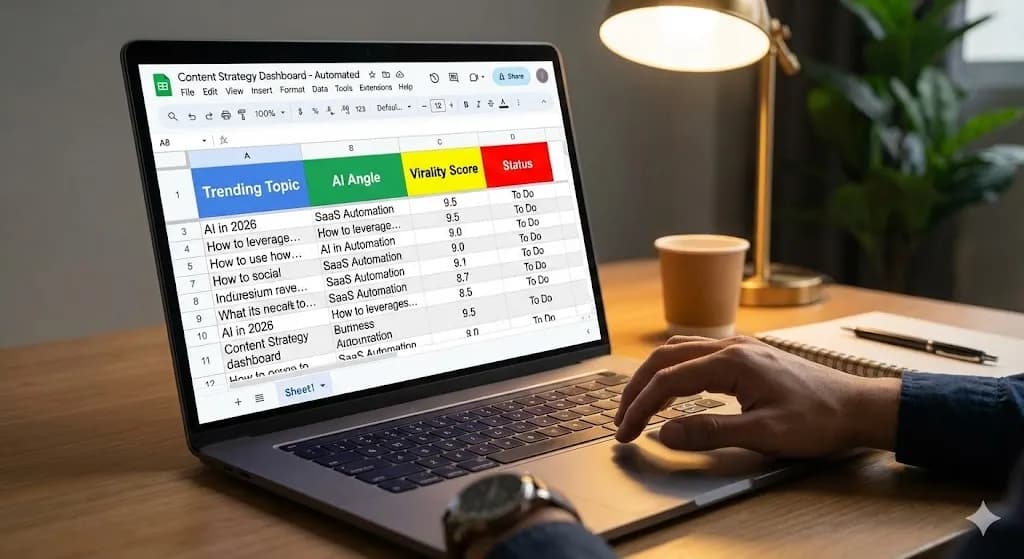 Click to expand
Your Day 15 Deployment Mandate
You now have the blueprint for an infinite idea machine. You have transitioned from "guessing" what your market cares about to programmatically "extracting" what they care about.
If your writers are staring at a blank Google Doc today, they are wasting company time. Give them the dashboard.
In tomorrow's post, Day 16, we will take this data-driven strategy a step further. We are going to build an automated rank-tracking pipeline to monitor exactly how these new blog posts perform on Google, pushing weekly SEO summaries directly into your Slack channel.
Subscribe to the 30 Days of n8n & Automation series at whoisalfaz.me, and I will see you on the canvas tomorrow.
Core Deployment Stack
To build this exact architecture in production, you will need the core infrastructure. I strictly use and recommend the following enterprise-grade platforms.
n8n Cloud
The most powerful fair-code automation platform. Get 20% off your first year on any paid plan.
Vultr High-Performance VPS
Deploy self-hosted instances worldwide with enterprise NVMe storage. Get $300 in free credit.
Complementary RevOps Toolchain
Brevo (formerly Sendinblue)
Enterprise-grade email API and marketing automation. Excellent SMTP for n8n.
Pinecone Vector Database
The vector database for building AI applications. Essential for RAG architectures.
Apollo.io
The ultimate B2B database and sales engagement platform for lead generation.
Databox
Business analytics platform to build and share custom dashboards.
Monday.com
The Work OS that lets you shape workflows, your way. Perfect for team scale.
Turbotic
Enterprise automation optimization and orchestration tracking system.
CometChat
Developer-first in-app messaging and voice/video calling APIs.
AdCreative.ai
Generate conversion-focused ad creatives and social media post designs in seconds.
ElevenLabs
The most realistic text-to-speech and voice cloning software.
Emergent
AI-powered revenue operations platform for scaling B2B growth.
Tapstitch
Data integration and workflow stitching platform for modern teams.
AiSDR
AI-powered sales development representative for automated outbound.
Accelerated Growth Studio
Growth engineering and product-led acquisition acceleration platform.
In this Article
Ready to automate your agency?
Skip the manual grunt work. Let's build a custom system that runs your business on autopilot 24/7.