Lead Enrichment with n8n: Automate Company & Location Data | Day 11

This technical breakdown contains affiliate links. If you deploy this stack using my links, I earn a commission at no extra cost to you.
By Alfaz Mahmud Rizve | RevOps & Full Stack Automation Architect at whoisalfaz.me
By Alfaz Mahmud Rizve | RevOps & Full Stack Automation Architect at whoisalfaz.me
If your inbound marketing engine is successfully collecting leads, but your database only contains a first name and an email address, you are leaving massive amounts of money on the table.
A "naked email" is an operational bottleneck. When an Account Executive receives a raw email address like [email protected], they are forced to pause their outreach workflow, open a new tab, search LinkedIn to find the lead's title, search Google to find the company website, and estimate the company's headcount to determine if they are even qualified for a sales call.
If your team is processing 50 leads a day, and it takes 4 minutes to manually research each one, your agency is bleeding over 3 hours of highly-paid sales time every single day on administrative data entry.
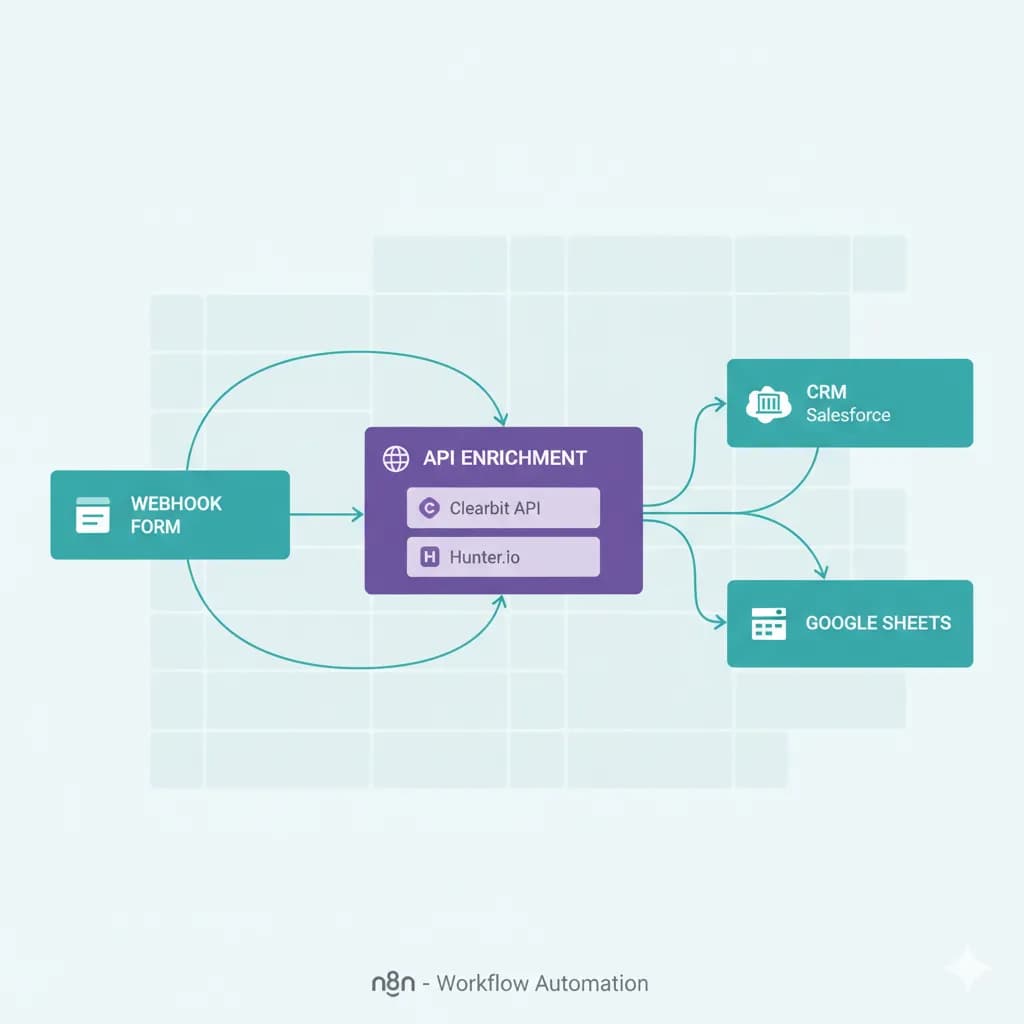
In Day 11 of our 30 Days of n8n & Automation sprint, we are eliminating manual research entirely. We are going to build a dynamic lead enrichment with n8n workflow that intercepts inbound leads, calls an external firmographic database, and automatically appends the Company Name, Website, Location, and Revenue metrics before the data ever reaches your CRM.
By integrating this architecture with the Lead Capture Engine from Day 8 and the Lead Scoring Logic from Day 9, you will transform your basic web forms into an autonomous intelligence gathering system.
The Architectural Philosophy of Data Enrichment
When I design enterprise infrastructure for SaaS clients, data enrichment is never treated as an optional "add-on." It is a fundamental layer of the RevOps stack.
You cannot execute intelligent routing without context. If you want to automatically route enterprise accounts to your Senior Account Executives, and small businesses to an automated self-serve sequence, the system needs to know the company size. Asking the user to fill out a 10-field form drastically reduces conversion rates.
The architectural solution is friction reduction: Ask the user for their work email only, and let the server figure out the rest.
A robust lead enrichment with n8n pipeline delivers three operational advantages:
- Frictionless Conversion: You can reduce your landing page forms to just 1 or 2 fields, skyrocketing your conversion rates.
- Contextual Triage: You immediately unlock the ability to trigger the high-intent n8n Slack Notifications we built in Day 10 based specifically on firmographic data (e.g., "Alert the channel if employee count > 500").
- Hyper-Personalized Outbound: Enriched data allows you to inject hyper-specific variables (City, Industry, Tech Stack) into your automated email sequences, creating the illusion of deep 1-on-1 manual research.
Selecting the Right Enrichment API Engine
n8n is the orchestrator, but it does not inherently know who "Acme Corp" is. We need to connect n8n to a dedicated data provider using a REST API.
The market is flooded with enrichment APIs (Clearbit, ZoomInfo, Dropcontact), but when architecting pipelines for agencies, I look for tools that offer reliable webhooks, high rate limits, and deep B2B data sets.
For this blueprint, I strongly recommend using Apollo.io or Hunter.io. They provide highly accessible JSON APIs that allow you to pass a domain or an email address and instantly receive dozens of firmographic data points in return.
Regardless of which API you choose, the n8n architectural pattern remains exactly the same. We will use the native core nodes we mastered in Day 6 to execute the data retrieval.
The Day 11 Blueprint: Architecting the Enrichment Pipeline
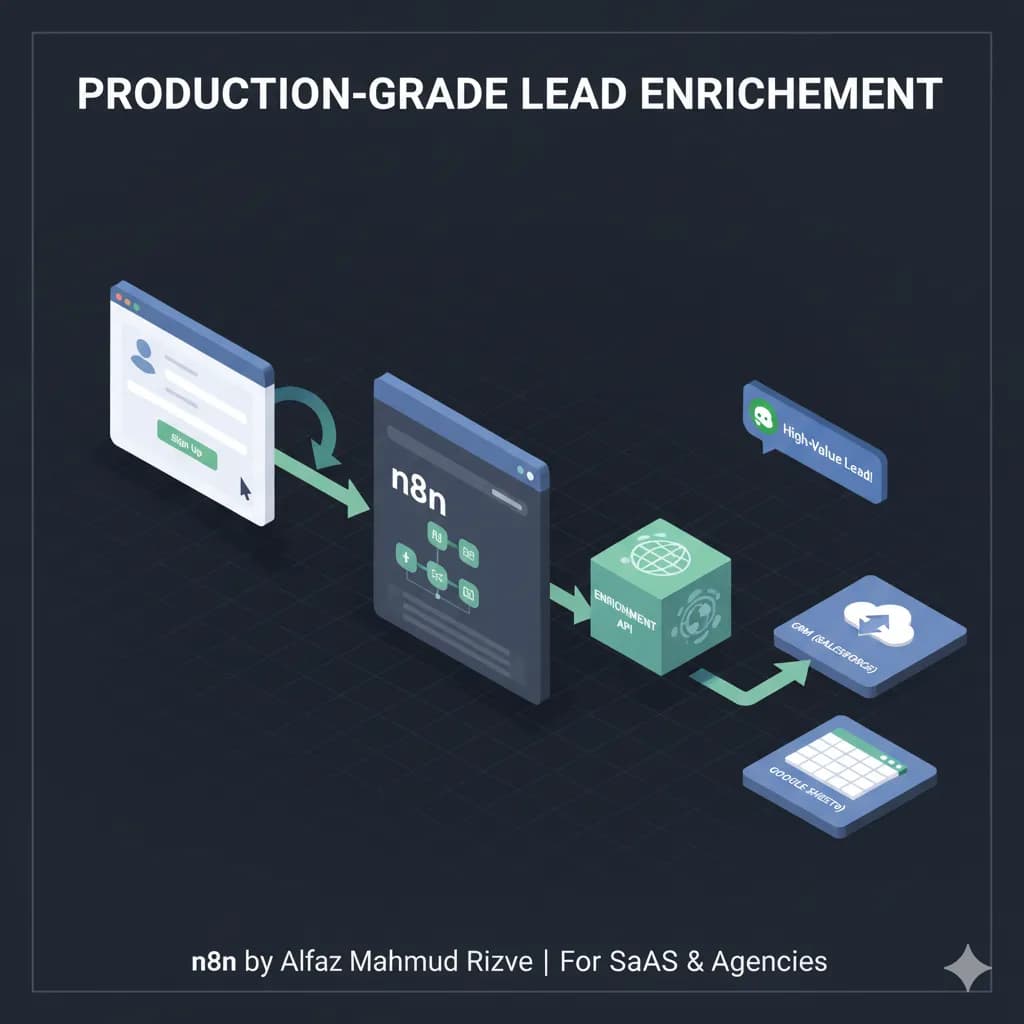
We are going to build a production-grade workflow that accepts a raw email, extracts the domain, queries the enrichment API, normalizes the data, and securely writes it to your database.
(Note: For this architecture, ensure you are running your workflows on a reliable server. If you are handling high-volume data lookups, I recommend a managed n8n Cloud instance or a dedicated Vultr VPS to prevent memory bottlenecks).
Phase 1: The Input Trigger and Domain Extraction
Before we can query a company database, we need the company's domain. If your form only asks for a business email, we must extract the domain programmatically.
- The Trigger: Start with your standard Webhook node catching the form submission (as engineered in Day 8).
- The Code Node (Extraction): Add a Code Node directly after the webhook. We will use a single line of JavaScript to split the email string and isolate the domain.
// Isolate the domain from the business email
const email = $json.body.email;
const domain = email.split('@')[1];

// Prevent enrichment attempts on free email providers
const freeProviders = ['gmail.com', 'yahoo.com', 'hotmail.com', 'outlook.com'];
const isB2B = !freeProviders.includes(domain);

return {
  original_email: email,
  company_domain: domain,
  is_b2b_domain: isB2B
};
- The Logic Gate (IF Node): We do not want to waste API credits trying to enrich a
@gmail.comaddress. Add an IF node.
 Click to expand
- If
Click to expand
- If is_b2b_domain is true, proceed to Phase 2.
- If false, route the lead directly to the database without enrichment.
Phase 2: The HTTP Request Node (The API Engine)
Now we query the external database.
Attach an HTTP Request node to the True branch of your IF node.
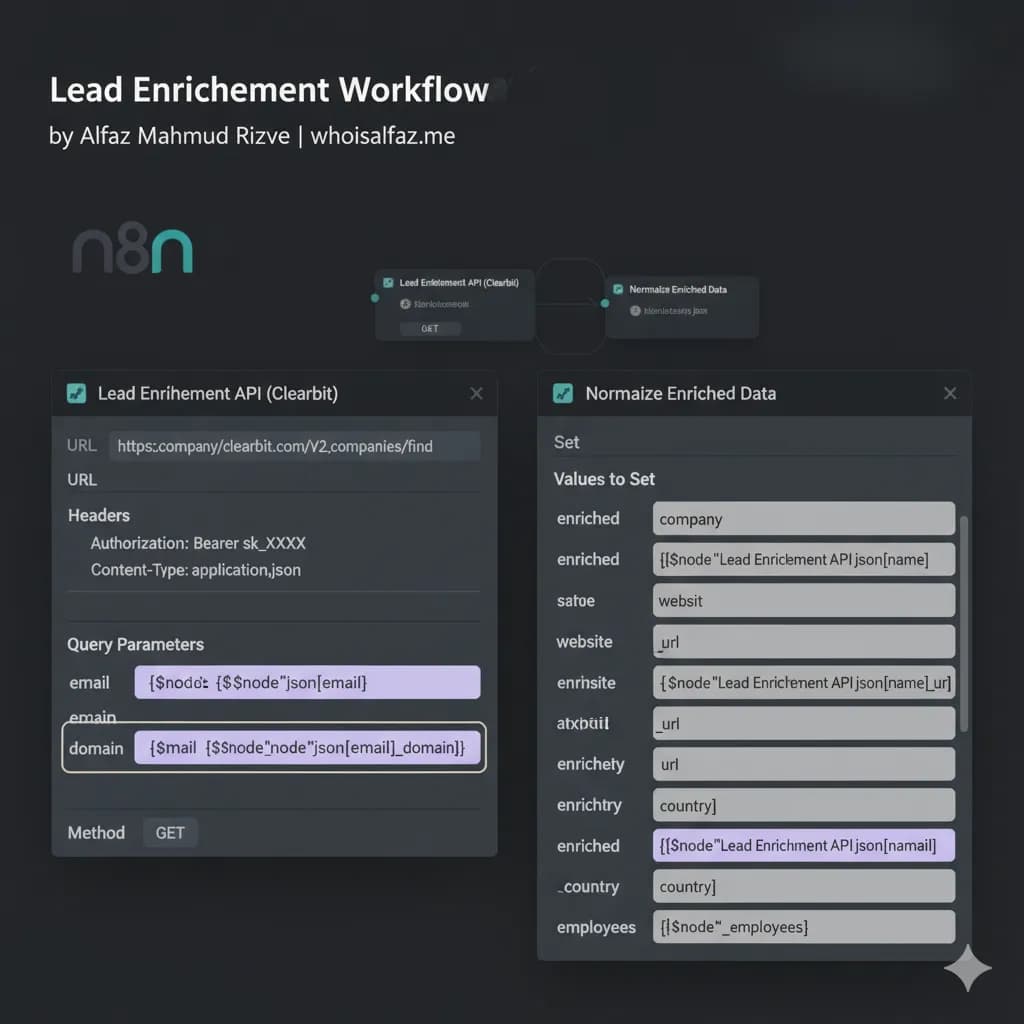
 Click to expand
- Method: Set to
GET(or POST, depending on your provider's documentation). - URL: Enter the API endpoint (e.g.,
https://api.apollo.io/v1/organizations/enrich). - Authentication: Add a Header. Key:
Authorization, Value:Bearer YOUR_API_KEY. - Query Parameters: Add a query parameter to pass the domain we just extracted.
- Name:
domain - Value:
{{ $json.company_domain }}
- Name:
Execute the node. If the domain is valid (e.g., stripe.com), the HTTP Request node will return a massive JSON object containing their logo URL, headquarters address, employee count, estimated annual revenue, and social media links.
Phase 3: Data Normalization with the Set Node
APIs return deeply nested, chaotic JSON structures. If you attempt to map this raw API response directly into your CRM, it will likely fail. You must sanitize and normalize the data first.
Attach a Set (Edit Fields) node after your HTTP Request.
 Click to expand
We will cherry-pick only the data we actually need and assign it to clean, standardized keys. Toggle the node to "Keep Only Set" to strip out the excess API bloat (reducing server memory usage).
Map the values using n8n's dot notation:
enriched_company➡️{{ $json.organization.name }}enriched_website➡️{{ $json.organization.primary_domain }}enriched_city➡️{{ $json.organization.primary_phone.city }}enriched_country➡️{{ $json.organization.primary_phone.country }}enriched_employees➡️{{ $json.organization.estimated_num_employees }}
By normalizing the data here, you create a standard schema. If you ever decide to switch your provider from Apollo to Clearbit, you only have to update the HTTP Request node; the rest of your downstream workflow will continue to function perfectly because the Set node acts as a structural buffer.
Phase 4: Defensive Engineering and Error Fallbacks
Amateur workflows assume the API will always find a match. Enterprise architecture prepares for the null state. What happens when a prospect submits a valid B2B domain, but the company is too new to exist in the enrichment database?
The API will return a 404 Not Found or a null value. If your workflow tries to write a null company name into a required CRM field, the entire sequence will crash.
We must implement the defensive routing protocols we discussed in Day 7 (Error Handling).
- The API Validation Gate: Immediately after the HTTP Request node (and before the Set node), insert an IF Node.
- Condition: Check if
{{ $json.organization.name }}Is Not Empty. - True Branch: The company was found. Route to the Set node to normalize the data.
- False Branch: The API returned nothing. Route to a secondary Set node that assigns fallback values:
enriched_company➡️Unknownenrichment_status➡️Failed - Manual Research Required
- Condition: Check if
This guarantees that the lead is still successfully inserted into your database, but it is flagged for a human to review, rather than crashing the system entirely.
Advanced Engineering: The Caching Architecture
If you are a high-volume agency processing thousands of leads, running an API call for every single webhook will quickly exhaust your API credits and drive up your operational costs.
Often, multiple leads will convert from the same company (e.g., three different engineers from Microsoft download your PDF). You should not pay to enrich microsoft.com three separate times.
Senior architects implement a Caching Layer.
Before the HTTP Request node fires, the workflow queries a central Google Sheet or PostgreSQL database (your cache) to ask: "Do we already have the firmographic data for this domain?"
- If Yes, it pulls the existing data from the cache (costing $0).
- If No, it executes the HTTP Request, gets the new data, and immediately writes a new row to the cache database for future use.
This caching pattern requires slightly more complex branching, but it will reduce your API enrichment costs by upwards of 40% as your database matures.
Phase 5: Writing to the Master Database
The final step is securely writing our beautifully enriched data payload into our CRM or Google Sheets ledger.
If you are using the Google Sheets node (as recommended in our earlier database builds):
- Operation: Set to
Append Row(if it's a net-new lead) orUpdate Row(if you are enriching an existing record). - Map your normalized variables (
enriched_company,enriched_employees) directly to their respective columns.
Architect's Tip: Always include a last_enriched_at column and use the {{ $now }} expression to stamp it with a timestamp. Company data degrades over time. Stamping the date allows you to easily filter your CRM 12 months from now and trigger a workflow to re-enrich any companies with data older than a year.
Deployment Checklist: Are You Ready for Production?
Before routing live traffic through your new intelligence engine, execute this validation sweep:
- [ ] B2B Filtering: Did you implement the Code node snippet to bypass enrichment for
@gmail.comand@yahoo.comdomains? - [ ] Credential Security: Is your API key stored securely in n8n's Credential Vault, or did you accidentally hardcode it into the URL?
- [ ] Null State Handling: If the API returns a blank company name, does your workflow fail gracefully, or does it crash?
- [ ] Normalization: Are you stripping out API bloat using the "Keep Only Set" toggle to optimize server memory?
Deploying the Stacks
Building intelligent data pipelines requires robust orchestration and scalable execution environments. Here is the exact stack required to build the Day 11 enrichment engine:
1. The Core Orchestrator: n8n
The central nervous system of your automation stack. You need n8n's robust HTTP Request nodes, Code blocks, and IF routing mechanics to intercept forms and extract domains programmatically.
2. High-Performance Infrastructure: Vultr
Enrichment pipelines execute intensive API calls and handle massive JSON payloads. Avoid memory crashes by deploying your self-hosted n8n instance on a dedicated, high-performance Vultr VPS.
Claim $300 in free Vultr credits →
3. The B2B Enrichment Engine: Apollo.io
To immediately turn an email address into actionable firmographic data (Employee Count, Revenue, HQ Location), Apollo boasts one of the deepest, most developer-friendly JSON datasets in the industry.
Explore Apollo’s API Database →
The Day 11 Mandate: Stop Guessing, Start Knowing
You now possess the architectural blueprint to eliminate manual research from your sales operations entirely.
By implementing lead enrichment with n8n, you are transforming simple form fills into highly detailed, actionable prospect dossiers. Your Account Executives will know exactly who they are talking to, how large the account is, and where the company is located before they ever pick up the phone.
Stop routing naked emails. Build the intelligence layer.
If you successfully deployed this, you are ready for the next phase. Tomorrow, in Day 12 of the 30 Days of n8n & Automation sprint, we will take this enriched data and use it to engineer hyper-personalized automated outbound email sequences.
Subscribe to the newsletter, and I will see you on the canvas tomorrow.
Core Deployment Stack
To build this exact architecture in production, you will need the core infrastructure. I strictly use and recommend the following enterprise-grade platforms.
n8n Cloud
The most powerful fair-code automation platform. Get 20% off your first year on any paid plan.
Vultr High-Performance VPS
Deploy self-hosted instances worldwide with enterprise NVMe storage. Get $300 in free credit.
Apollo.io
The ultimate B2B database and sales engagement platform for lead generation.
Complementary RevOps Toolchain
Brevo (formerly Sendinblue)
Enterprise-grade email API and marketing automation. Excellent SMTP for n8n.
Pinecone Vector Database
The vector database for building AI applications. Essential for RAG architectures.
Databox
Business analytics platform to build and share custom dashboards.
Monday.com
The Work OS that lets you shape workflows, your way. Perfect for team scale.
Turbotic
Enterprise automation optimization and orchestration tracking system.
CometChat
Developer-first in-app messaging and voice/video calling APIs.
AdCreative.ai
Generate conversion-focused ad creatives and social media post designs in seconds.
ElevenLabs
The most realistic text-to-speech and voice cloning software.
Emergent
AI-powered revenue operations platform for scaling B2B growth.
Tapstitch
Data integration and workflow stitching platform for modern teams.
AiSDR
AI-powered sales development representative for automated outbound.
Accelerated Growth Studio
Growth engineering and product-led acquisition acceleration platform.
In this Article
Ready to automate your agency?
Skip the manual grunt work. Let's build a custom system that runs your business on autopilot 24/7.