Essential n8n Core Nodes (Master HTTP Request, IF, Set, Merge & Code) | Day 6


This technical breakdown contains affiliate links. If you deploy this stack using my links, I earn a commission at no extra cost to you.
By Alfaz Mahmud Rizve | RevOps & Full Stack Automation Architect at whoisalfaz.me
By Alfaz Mahmud Rizve | RevOps & Full Stack Automation Architect
If you come from the world of consumer-grade automation tools, you have been conditioned to think in terms of "App Integrations." You want to connect Slack to HubSpot, so you search for the Slack icon and the HubSpot icon. If the platform does not have the exact trigger or action you need, your entire project hits a brick wall. You are held hostage by the platform's development roadmap.
Enterprise architecture does not rely on pre-built icons. It relies on core data manipulation.
 Click to expand
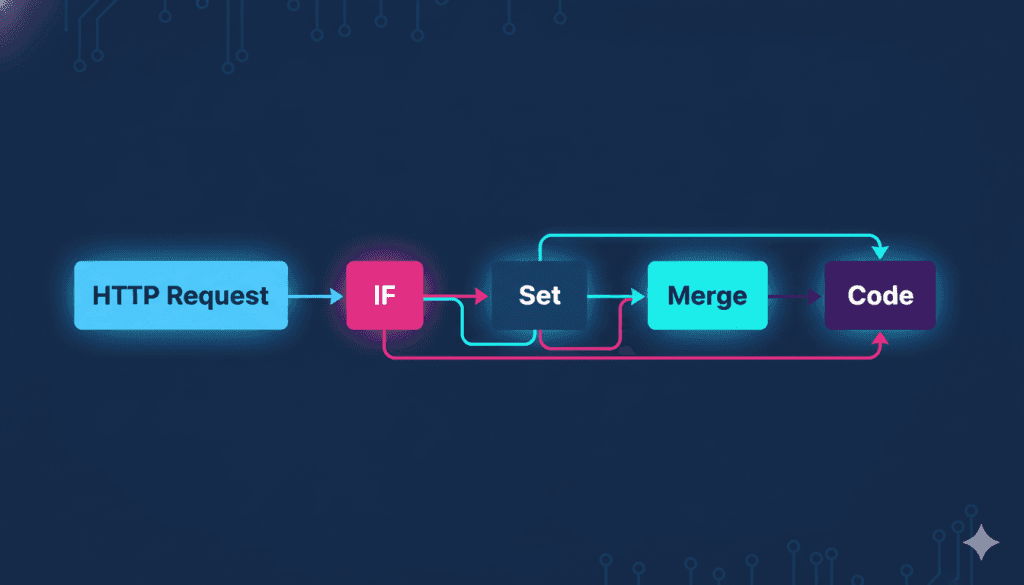
If n8n workflows are a city, the pre-built app nodes are just the storefronts. The n8n core nodes—HTTP Request, IF/Switch, Set, Merge, and Code—are the concrete roads, the traffic lights, the bridges, and the power grid that actually keep the data flowing.
Mastering these five fundamental nodes is the difference between being a "Zapier tinkerer" and a true Full Stack Automation Architect. Once you understand how these five blocks manipulate JSON payloads, 80% of your future enterprise builds for SaaS and agencies will suddenly make sense, and you will never be blocked by a "missing integration" again.
In Day 6 of our Enterprise Automation OS sprint, we are opening the canvas. Here is the definitive, deeply technical masterclass on the five nodes that run the internet.
1. The HTTP Request Node: The Universal Adapter
 Click to expand
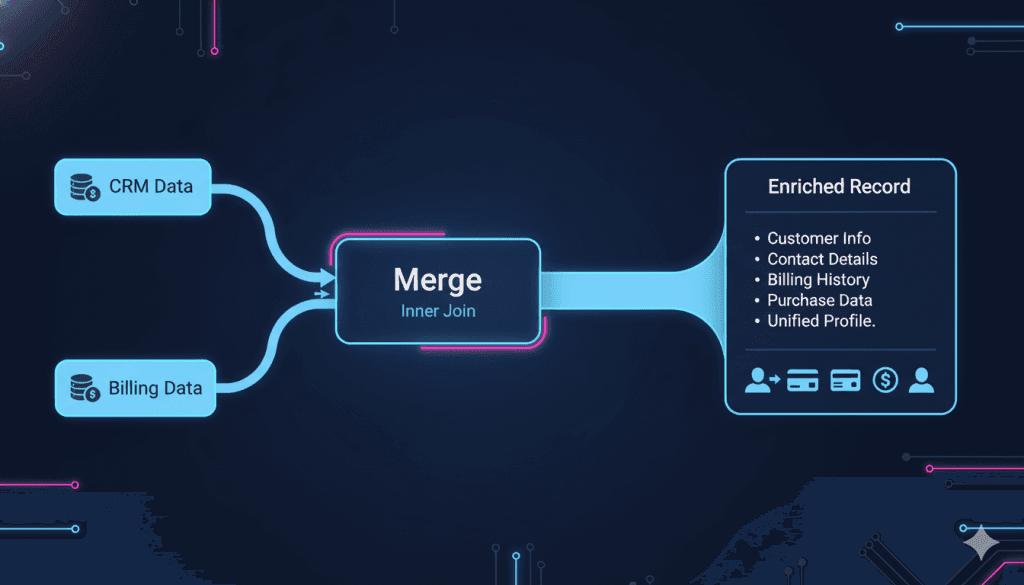
The HTTP Request node is the single most powerful node in the entire n8n ecosystem. It is how your n8n server talks to the outside world when a dedicated app integration does not exist, or when the native integration is too limited for your enterprise requirements.
When I am architecting complex agency infrastructure as a Monday.com Authorized Partner, I rarely use the native pre-built nodes for heavy data lifting. The native nodes are great for simple tasks, but when you need to execute deep GraphQL queries to pull nested project data, you must use the HTTP Request node. It gives you raw, unfiltered access to any API on the planet.
How to Architect the HTTP Request
Every API call requires a specific structure. The HTTP Request node allows you to configure the exact parameters dictated by a software's API documentation.
-
The Method (Verb): You must declare what you are doing.
- GET: Pulling data from a platform (e.g., fetching a list of active Stripe subscriptions).
- POST: Pushing new data to a platform (e.g., creating a new lead in Apollo.io).
- PATCH / PUT: Updating existing data (e.g., changing a deal stage in Pipedrive to "Closed Won").
- DELETE: Removing data from a server.
-
Authentication Headers: You cannot just knock on a server's door and ask for data. You must pass your cryptographic keys. In the HTTP node, you navigate to the Headers section and pass your Authorization key (usually formatted as
Bearer [YOUR_API_KEY]) or a customx-api-key. -
The JSON Payload (Body): When making a POST request, this is where you map your dynamic variables. Instead of clicking buttons, you construct the exact JSON object the receiving server expects.
Enterprise Best Practice: Pagination
Amateurs use the HTTP node to pull 50 records and assume they got everything. Architects know that APIs paginate their data. If your SaaS CRM has 5,000 users, a single GET request will only return the first 100.
In n8n, the HTTP Request node has a built-in Pagination toggle. You configure it to inspect the API's response for a next_page_token or next_url. n8n will automatically loop the HTTP request, continuously fetching pages until the token returns null, ensuring zero data loss during massive infrastructure migrations.
2. The Set Node (Edit Fields): The Data Sanitizer
 Click to expand
(Note: In recent n8n versions, the "Set" node has been upgraded and renamed to "Edit Fields". The architectural purpose remains identical).
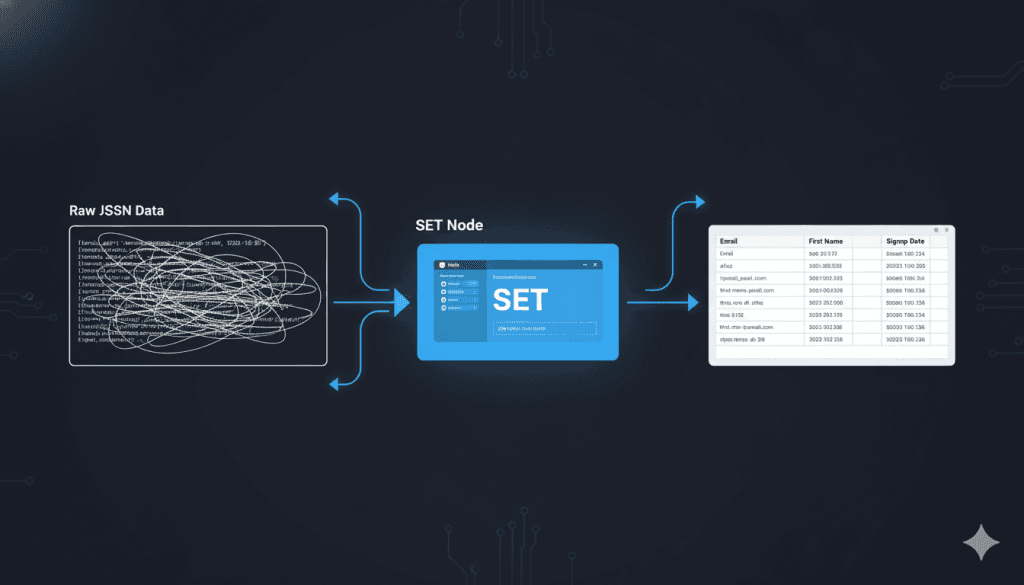
Raw API data is chaotic. A webhook payload from a Next.js landing page might label a phone number as contact_phone, while your backend PostgreSQL database requires the column to be strictly named mobile_number.
If you try to map chaotic, mismatched data directly into your output nodes, the database will reject the payload and throw a 400 Bad Request error. The Set (Edit Fields) node acts as a data sanitization checkpoint. It is a tiny spreadsheet cell editor that lives inside your workflow to normalize schemas.
Core Functions of the Set Node:
- Schema Normalization (Renaming): You use the node to map incoming variables to a standardized nomenclature.
emailAddressbecomesemail.first_namebecomesfirstName. This ensures that downstream nodes always receive predictable data structures. - Data Pruning (Keep Only Set): When you execute a webhook, the payload might contain 200 lines of useless metadata (browser type, IP address, tracking cookies). You only need the email and the name. By toggling on Keep Only Set, you strip out all the bloated metadata, drastically reducing the memory consumption of your Vultr server and keeping the execution log perfectly clean.
- Type Casting: A common API error occurs when a system expects an Integer (a number) but receives a String (text). If a user types "50" into a form, it is often passed as a string. You can use the Set node to explicitly cast that variable into a mathematical Integer before pushing it to a financial database.
Enterprise Best Practice: The "State" Variable
I use the Set node to inject static "State" flags into workflows. For example, after an HTTP request successfully enriches a lead, I will use a Set node to add a new field: "enrichment_status": "success". This makes debugging infinitely easier, as you can see the exact state of the data object at any point in the visual execution log.
3. The IF & Switch Nodes: The Logic Gateways
 Click to expand
A workflow without logic is just a pipe. Logic is what turns a pipe into an engine.
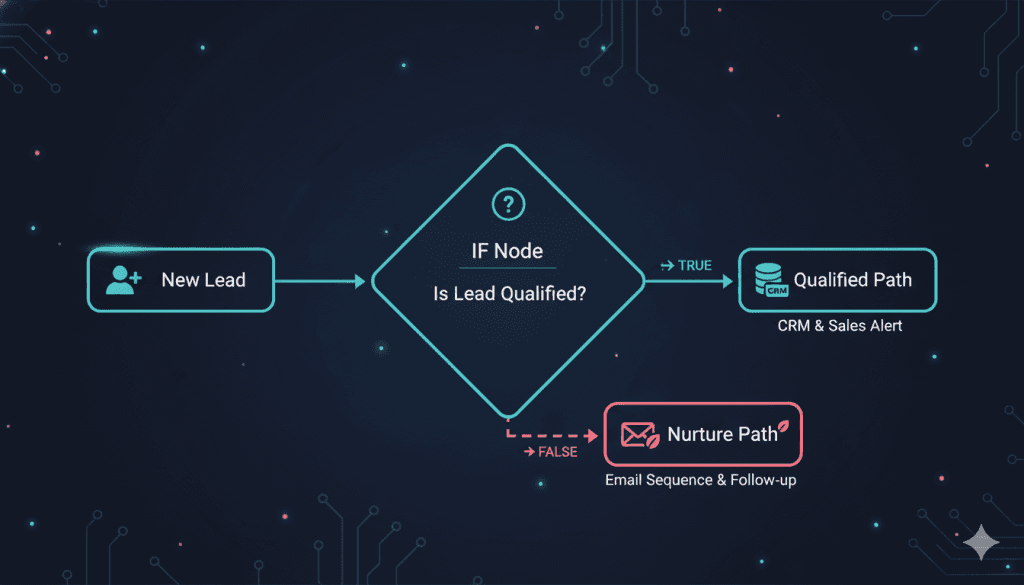
The IF node and the Switch node are the traffic controllers of your n8n architecture. They evaluate the incoming JSON payload against strict mathematical or textual rules and route the data down specific execution branches.
The IF Node (Binary Routing)
The IF node is a simple Boolean gate. It evaluates a condition and routes the data to either the True branch or the False branch.
- String Matching: Does the email string contain "@gmail.com"? If True, route them to the B2C nurture sequence. If False, route them to the B2B high-ticket pipeline.
- Mathematical Thresholds: Is the Stripe MRR > $5,000? If True, immediately ping the Account Executive in Slack for a VIP upgrade call. If False, do nothing.
The Switch Node (Multi-Track Routing)
While the IF node is great for simple binary checks, chaining five IF nodes together to handle multiple conditions creates a visually disgusting, unmaintainable "spaghetti" workflow.
Architects use the Switch node.
Instead of Yes/No, the Switch node evaluates a single variable and creates infinite, parallel routing tracks based on the value.
Example: You pull a lead's "Industry" from Apollo.io. Instead of five IF nodes, you use one Switch node.
- Rule 1: If value equals Healthcare, route to Path 0 (HIPAA compliance email sequence).
- Rule 2: If value equals Real Estate, route to Path 1 (PropTech sequence).
- Rule 3: If value equals SaaS, route to Path 2 (RevOps sequence).
- Fallback: If no rules match, route to Path 3 (Generic catch-all sequence).
Enterprise Best Practice: Defensive Routing
Always assume data will be missing. Before you execute a complex data transformation, route the payload through an IF node that checks: Is [Email] empty? If it is empty, route it to an Error Track. This prevents the workflow from crashing and halting the entire server.
4. The Merge Node: The Database Joiner
 Click to expand
In complex SaaS operations, the data you need to make a decision rarely lives in one place. Your billing data lives in Stripe. Your product usage data lives in your application database. Your communication history lives in your CRM.
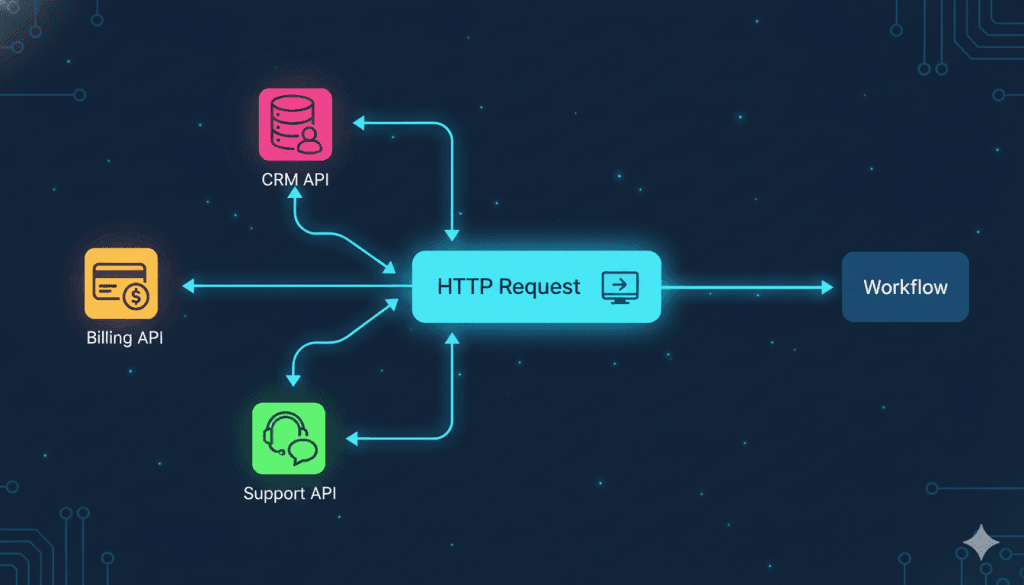
The Merge node is the architectural bridge that stitches fragmented data silos back together. It operates exactly like a SQL JOIN command, combining two distinct JSON arrays into a single, unified payload.
The Core Merge Modes:
- Append: The simplest mode. It takes List A (50 leads from Facebook) and List B (50 leads from LinkedIn) and stacks them on top of each other, outputting a single list of 100 leads to pass to the next node.
- Combine (Merge By Key): This is the enterprise use case. Let's say Input 1 pulls a list of customer emails and their MRR from Stripe. Input 2 pulls a list of customer emails and their Lead Source from HubSpot. You configure the Merge node to match the datasets where
Stripe.email == HubSpot.email. The output is a beautifully enriched single array containing the Email, MRR, and Lead Source on the same line. - Wait (Multiplexing): Sometimes you split a workflow into two parallel branches that execute different API calls. You use the Merge node at the end of the branches to force the workflow to pause until both API calls have finished before proceeding to the final output node.
Enterprise Best Practice: Resolving Race Conditions
When executing parallel branches, Branch A might finish in 200 milliseconds, while Branch B (a heavy database query) takes 4 seconds. If you don't use a Merge node to act as a "waiting room," the workflow will execute prematurely and drop the data from Branch B. The Merge node enforces synchronous execution in an asynchronous environment.
5. The Code Node: The Escape Hatch
 Click to expand
Visual drag-and-drop nodes are incredible for speed, but eventually, you will encounter a data structure so complex, or an API requirement so bizarre, that a visual node cannot solve it.
When consumer platforms hit this wall, you fail. When n8n hits this wall, you open the Code node.
The Code node allows you to execute raw JavaScript (or Python, depending on your environment configuration) directly against the JSON payload in the middle of your workflow. You do not need to be a senior backend developer to wield this node; understanding basic array manipulation is enough to give you "god mode" over your data.
High-Value Use Cases for Non-Developers:
- String Manipulation: You receive a full name (Alfaz Rizve), but your CRM requires a
first_nameandlast_nameseparately. You drop in a 3-line JavaScript snippet using.split(' ')to break the string apart and assign it to new JSON keys. - Date Math: APIs require time in strictly formatted ISO strings or UNIX timestamps. You can use native JavaScript
Date()objects inside the Code node to calculate exact expirations (e.g., "Set access revocation date to exactly 30 days from the current execution millisecond"). - Complex Array Filtering: You pull an array of 500 invoices from Stripe. You only want the invoices that are marked "paid" AND have a total greater than $100 AND were created in the last 7 days. Instead of chaining 10 IF nodes together, you write a single
.filter()function in JavaScript to instantly prune the array.
Enterprise Best Practice: Custom SDKs via Self-Hosting
If you took my advice in Day 3 and deployed a self-hosted architecture on Vultr, the Code node becomes exponentially more powerful. You can import external NPM packages (like crypto for hashing passwords or moment.js for advanced time manipulation) directly into your n8n environment variables. This turns your Code node into a fully-fledged backend microservice capable of executing complex cryptographic functions for custom Next.js applications.
The Symphony of the Core Nodes
To visualize how these five elements orchestrate revenue, look at a standard Zero-Touch Pipeline:
Notice that we did not use a single "pre-built" app integration. We controlled the data flow at the protocol level. That is how you build crash-proof infrastructure.
Your Day 6 Mandate
You now understand the engine block. You know what the pistons (HTTP), the transmission (IF/Switch), and the exhaust (Set) actually do.
Theory phase is over. Tomorrow, in Day 7, we are wiring these nodes together. We will build your first authenticated webhook, catch a live JSON payload, and route it through the engine.
If you do not have a live n8n environment running yet, you are out of time.
- Deploy your managed n8n Cloud workspace instantly here →
- Deploy your dedicated Vultr High-Performance server here for self-hosting →
Stop looking for app icons. Start mastering core data manipulation. I will see you on the canvas tomorrow.
Core Deployment Stack
To build this exact architecture in production, you will need the core infrastructure. I strictly use and recommend the following enterprise-grade platforms.
n8n Cloud
The most powerful fair-code automation platform. Get 20% off your first year on any paid plan.
Vultr High-Performance VPS
Deploy self-hosted instances worldwide with enterprise NVMe storage. Get $300 in free credit.
Brevo (formerly Sendinblue)
Enterprise-grade email API and marketing automation. Excellent SMTP for n8n.
Complementary RevOps Toolchain
Pinecone Vector Database
The vector database for building AI applications. Essential for RAG architectures.
Apollo.io
The ultimate B2B database and sales engagement platform for lead generation.
Databox
Business analytics platform to build and share custom dashboards.
Monday.com
The Work OS that lets you shape workflows, your way. Perfect for team scale.
Turbotic
Enterprise automation optimization and orchestration tracking system.
CometChat
Developer-first in-app messaging and voice/video calling APIs.
AdCreative.ai
Generate conversion-focused ad creatives and social media post designs in seconds.
ElevenLabs
The most realistic text-to-speech and voice cloning software.
Emergent
AI-powered revenue operations platform for scaling B2B growth.
Tapstitch
Data integration and workflow stitching platform for modern teams.
AiSDR
AI-powered sales development representative for automated outbound.
Accelerated Growth Studio
Growth engineering and product-led acquisition acceleration platform.
In this Article
Ready to automate your agency?
Skip the manual grunt work. Let's build a custom system that runs your business on autopilot 24/7.