
Looking for outstanding ideas for SaaS MVPs? Stop choosing between Webflow’s limits and Bubble’s complexity. Learn how to build scalable apps visually with Ycode. By Alfaz Mahmud Rizve at whoisalfaz.me.
The “No-Code” Dilemma
If you are a founder or an agency owner in 2025, you are likely stuck in a painful dilemma known as the “No-Code Gap.”
You have an outstanding idea for a SaaS MVP (Minimum Viable Product). You want to build it fast.
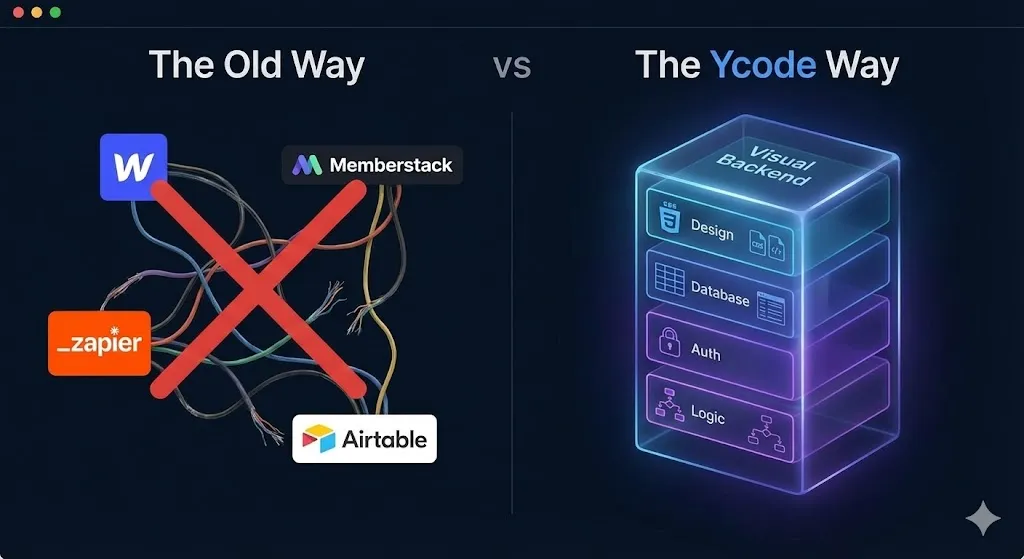
- If you choose Webflow, your design looks beautiful, but you hit a wall as soon as you need “User Logins” or “Logic.” You end up glueing together Memberstack, Wized, and Zapier just to make it work.
- If you choose Bubble, you get the logic, but the design editor feels like Windows 95, and the generated code is messy (“spaghetti code”) that developers hate.
At whoisalfaz.me, we call this the “Pretty vs. Powerful” trade-off.
The most outstanding idea for SaaS MVPs right now isn’t a specific app concept—it’s using a platform that bridges this gap. We are moving towards “Visual Backend Development.”
In this guide, Alfaz Mahmud Rizve will introduce you to Ycode. It’s the only tool that gives you the pixel-perfect design control of Webflow combined with the native logic (Auth, Database, Workflows) of Bubble—all while outputting clean, semantic HTML/CSS.
Outstanding Idea #1: The “Visual” Database (Stop Glueing Tools Together)
Most “No-Code” stacks are actually “Franken-stacks.” You have your frontend in one tool, your database in Airtable, your user accounts in Memberstack, and your logic in Make. If one API breaks, your whole SaaS goes down.
The Fix: Use a Unified Visual Backend.
Ycode doesn’t make you look for plugins. It has a Native CMS and Database built-in.
- You create a “Collection” (e.g., “Properties” for an Airbnb clone).
- You drag a list element onto the canvas.
- You click “Bind to Collection.”
- Done.
This isn’t just for static blogs. This is for dynamic apps. You can filter, sort, and display data based on the logged-in user without writing a single line of SQL.
The Action Step: Stop paying for 5 different subscriptions to build one app. With Ycode’s All-in-One Engine, your database and your design live in the same house.
Outstanding Idea #2: Native User Auth (The “Membership” Unlock)
This is the biggest friction point for Webflow users. Building a simple “Client Portal” or “Course Platform” usually requires a third-party tool that costs $29/month extra.
The Fix: Native Authentication.
Ycode treats “Users” as a first-class citizen.
- Sign Up / Login Forms: Drag and drop pre-built components that actually work.
- Gated Content: Select a page (e.g., “Dashboard”), click “Settings,” and check “Restrict to Logged-in Users.”
- User Profiles: Allow users to update their own profile pictures, bio, and data directly from the frontend.
Alfaz Mahmud Rizve’s benchmark for a real SaaS builder is: “Can a user sign up and see their own private data in under 5 minutes?” Ycode passes this test. Webflow does not.
Outstanding Idea #3: The “Clean Code” Advantage (Future-Proofing)
Here is a secret that Bubble developers won’t tell you: Vendor Lock-in is real. If you build a massive app on Bubble and want to leave, you can’t export the code. It’s proprietary.
The Fix: Build on Standard Web Standards.
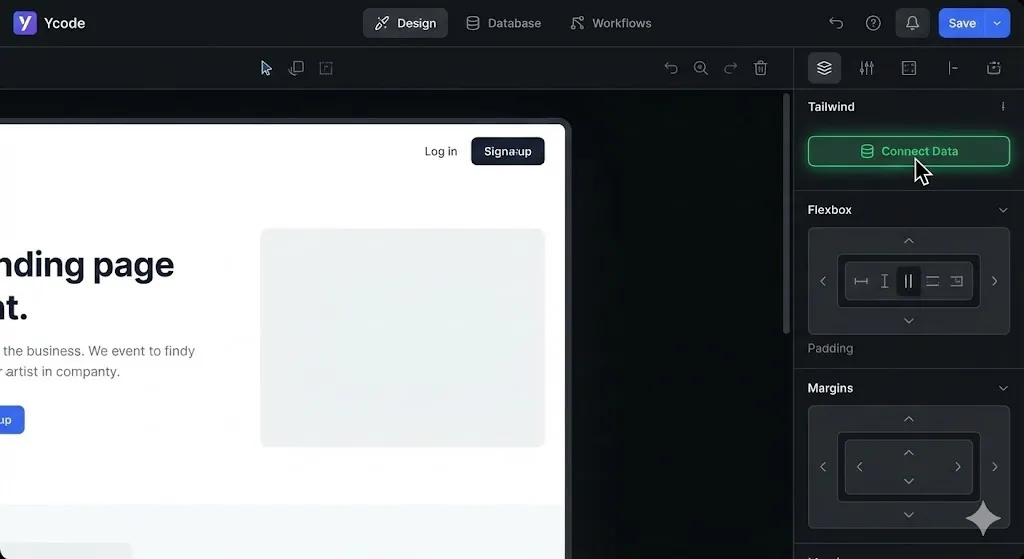
Ycode is built on Tailwind CSS.
- When you drag an element, you aren’t just placing a picture; you are manipulating real CSS classes visually.
- The code it generates is clean, semantic, and readable.
- This means your site loads faster, ranks better on Google, and is easier for a “real” developer to take over later if you scale.
The Strategy: If you are an agency, pitching “Clean Code” allows you to charge premium rates. Clients are terrified of being locked into a “black box.” Ycode gives them peace of mind.
Competitor Showdown: Ycode vs. The Giants
Is Ycode really ready to replace Webflow or Bubble? Here is the comparison Alfaz Mahmud Rizve uses when advising startup founders.
| Feature | Ycode | Webflow | Bubble |
| Design Engine | Tailwind CSS (Box Model) | CSS Box Model | Absolute Positioning |
| User Auth | Native (Built-in) | Paid Add-on (Logic/Membership) | Native (Built-in) |
| Learning Curve | Medium (Intuitive) | High (Designer focused) | Very High (Logic focused) |
| Code Quality | Clean / Semantic | Clean / Semantic | “Spaghetti Code” |
| Database | Native + Airtable Sync | Native CMS | Native Database |
| Pricing | Affordable (Starts Free/$5) | Expensive Scaling | Usage-based (Expensive) |
| Best For | SaaS MVPs & Portals | Marketing Sites | Complex Enterprise Apps |
Export to Sheets
The Takeaway:
- Use Webflow if you are building a brochure site for a law firm.
- Use Bubble if you are building the next Uber with complex algorithms.
- Use Ycode if you are building a SaaS MVP, Marketplace, or Directory and care about design and logic.
Step-by-Step: Launch Your MVP in 7 Days
Ready to execute on these outstanding ideas for SaaS MVPs? Here is your “No-Code” Sprint Plan.
Day 1: The Blueprint Sketch your database schema. For a “Directory App,” you need two collections: Users and Listings.
Day 2: The Canvas Setup Sign up for Ycode (Start with the Free plan to test). Choose the “SaaS Starter” template to save 10 hours of design time.
Day 3: The Database Binding Create your Collections. Import dummy data (CSV). Go to your “Listings Template Page” and bind the text elements to your database fields.
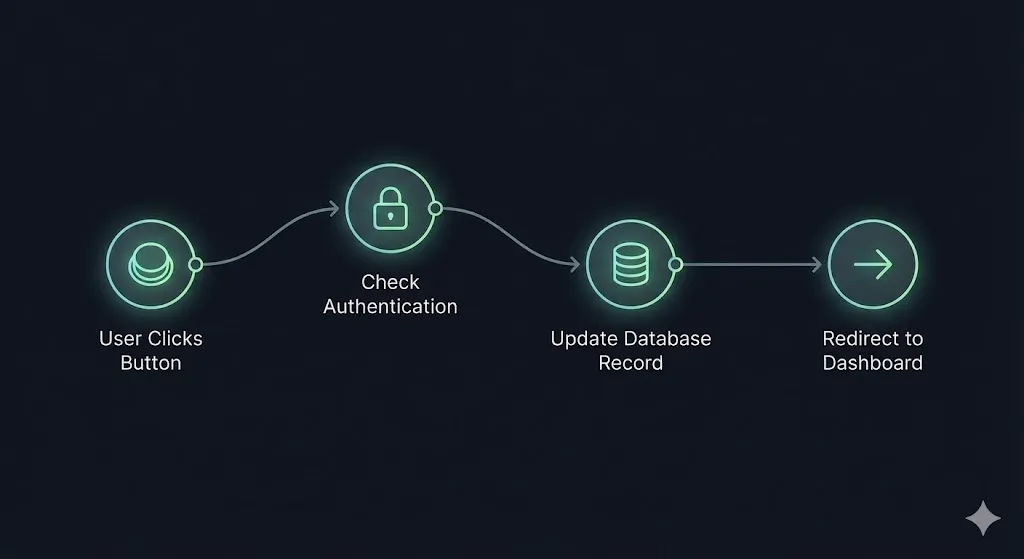
Day 4: The Logic Layer Set up the “Submit Listing” button. Use Ycode’s Workflow tab:
- Trigger: Click.
- Action: Create New Item in Collection
Listings. - Redirect: Go to “Success Page.”
Day 5: The Gatekeeper Create a “Sign Up” page. Set your “Submit Listing” page to Restricted Access. Now, only logged-in users can post.
Day 6: The Airtable Sync (Optional) If you prefer managing data in a spreadsheet, connect your Ycode project to Airtable. Any change in Airtable updates your live site instantly.
Day 7: Launch Connect your custom domain (available on the Mini Plan for just ~$5/mo). You are live.
Real-World Example: The “Niche Job Board”
One of the most profitable “Outstanding Ideas” right now is the Niche Job Board (e.g., “Jobs for AI Prompters”).
The Old Way: Buy a $300 WordPress theme that breaks every update. The Ycode Way:
- Build a “Jobs” collection.
- Allow companies to “Sign Up” (Native Auth).
- Let them “Post a Job” (Native Form).
- Charge them via Stripe (Native Integration).
- Total Monthly Cost: ~$15. Potential Revenue: Unlimited.
If you enjoyed this guide on outstanding ideas for SaaS MVPs, check out our previous deep dive on Automating B2B Lead Gen to learn how to find customers for the app you just built.
Ready to Build Your Idea?
The barrier to entry for building software has never been lower. But choosing the wrong tool can set you back months.
If you want the design power of Webflow with the brain of a real application:
- Stop coding from scratch.
- Start building visually.
- Try Ycode for free.
Using my partner link below unlocks the platform for you to test.
🚀 Start Building Your SaaS MVP with Ycode Here
Don’t let your “Outstanding Idea” die in a notebook. Build it this weekend.
Subscribe to the whoisalfaz.me newsletter for the direct cloneable template of this project in next week’s edition.
Frequently Asked Questions (FAQ)
Is Ycode better than Bubble for SaaS? For internal business tools with complex logic (like an Uber clone), Bubble is still stronger. But for customer-facing SaaS MVPs where design and SEO matter (like a Directory, Job Board, or Content Platform), Ycode is far superior because it generates clean HTML/CSS. Bubble’s code is notoriously slow and messy.
Can I export my code from Ycode? Currently, Ycode is a hosted platform (like Webflow), so you cannot export raw HTML/CSS to host on your own server. However, since the code is standard Tailwind CSS, rebuilding it elsewhere is much easier than migrating away from Bubble’s proprietary visual logic.
Does Ycode support Stripe Payments? Yes, Ycode has a native integration with Stripe. You can gate content, sell digital downloads, or create recurring subscription tiers (SaaS model) directly within the builder. No third-party tools like Memberstack are required.
How does Ycode handling hosting? Ycode handles all hosting for you on enterprise-grade AWS servers. This includes free SSL certificates, automated backups, and a global CDN (Content Delivery Network) to ensure your app loads fast anywhere in the world.