Facebook Lead Ads to n8n: Sync Leads to CRM for Free

This technical breakdown contains affiliate links. If you deploy this stack using my links, I earn a commission at no extra cost to you.
By Alfaz Mahmud Rizve | RevOps & Full Stack Automation Architect at whoisalfaz.me
Speed-to-lead is the single most important metric in paid advertising. If you are spending $5,000 a month on Meta Ads to generate high-ticket B2B inquiries, but your operations team is manually downloading a CSV file from the Facebook Ads Manager at the end of the day, you are literally setting your ad budget on fire.
By the time your Account Executive dials that number, the prospect has already forgotten they filled out your form, or worse, they have already purchased from a competitor who called them within 60 seconds of submission.
Facebook Lead Ads automation is not an efficiency hack; it is a strict revenue requirement.
However, the industry standard for the past decade has been to use tools like Zapier to bridge this gap. While Zapier is user-friendly, it has a fatal flaw for scaling agencies: they gate premium apps (like Facebook Lead Ads) behind expensive monthly tiers, and they charge you a "tax" for every single lead you sync. If your ad campaign goes viral and generates 5,000 leads over the weekend, your automation bill skyrockets.
In Day 13 of our 30 Days of n8n & Automation sprint, we are going to eliminate the Zapier tax. We are building a real-time pipeline that captures Meta leads the absolute millisecond the form is submitted, algorithmically cleans the messy phone number formatting, and pushes the data directly into your CRM—for free (if self-hosting) or at a flat, predictable cost.
The Architectural Mandate: Why n8n Defeats Traditional iPaaS
When I architect inbound pipelines for performance marketing agencies at whoisalfaz.me, the first thing I do is rip out their legacy Zapier or Make integrations for paid social.
Here is the engineering reality of why we use n8n for Facebook Lead Ads automation:
Flat-Rate Scaling: Whether your ad campaign generates 10 leads or 10,000 leads, n8n does not charge you per task.
Deep Data Sanitization: Facebook users input data terribly. Phone numbers come in as +1 (555) 123-4567, 555 123 4567, or 555.123.4567. Traditional CRMs like HubSpot will reject these payloads if they don't match their strict schema. n8n allows us to use standard JavaScript regex to mathematically clean the data before it ever hits the database.
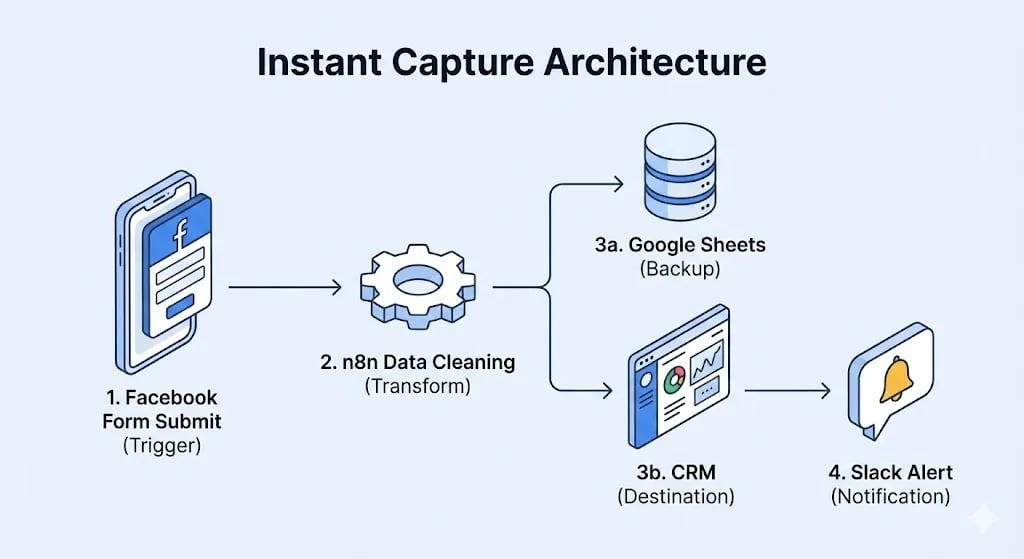
The Unbreakable Ledger: As we established in Day 8 (Lead Capture Architecture), we can easily route the Facebook payload to both a heavy CRM and a flat-file Google Sheet simultaneously, ensuring zero data loss if the CRM API goes down.
Own your pipeline. Do not rent it from a platform that penalizes you for scaling.
Infrastructure Prerequisites: The Meta Developer Handshake
Before we open the n8n canvas, you must establish a secure OAuth2 handshake between your server and Meta's API.
(Note: If you are running this workflow in a high-volume agency environment, you cannot use a local desktop instance of n8n. You must deploy this on a permanent, public-facing server like n8n Cloud or a dedicated Vultr VPS so Meta's webhooks can reach you 24/7).
The Setup Protocol:
Architect's Note: Meta frequently updates their API token expiration policies. If your leads suddenly stop syncing after 60 days, your OAuth token likely expired. Always implement the Global Error Watchtower from Day 7 to alert your Slack channel if the Facebook trigger node starts failing authentication.
Phase 1: The Instant Capture Trigger
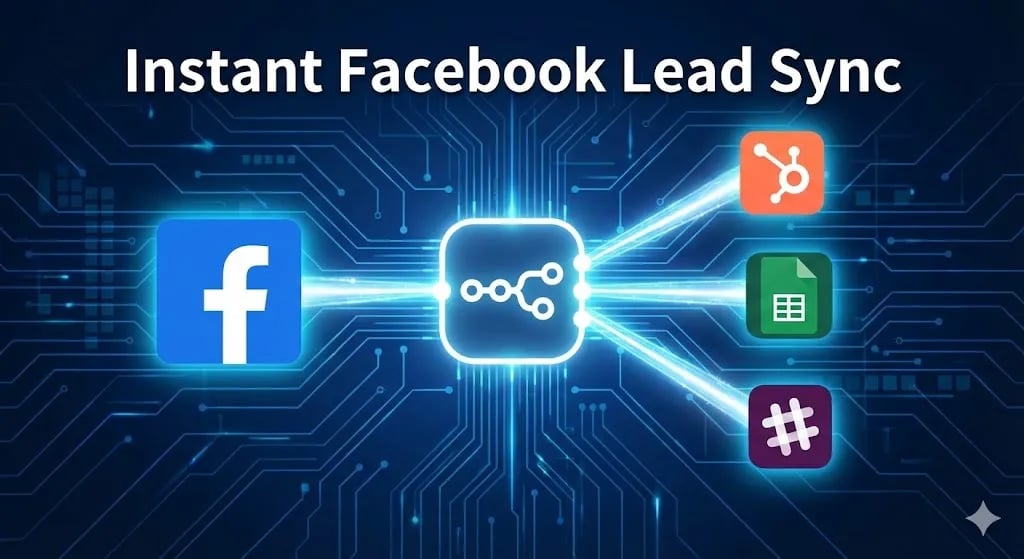
We are abandoning the archaic "polling" method (where a system checks for new leads every 15 minutes). We are using a real-time webhook push.
Open a new n8n workflow and name it Core: Meta Ads Inbound Sync. Add the Facebook Lead Ads Trigger node:
- Authentication: Select the credential you just created.
- Page: Select the specific Business Page running the campaign.
- Form: While you can select a specific form, I strongly recommend setting this to All Forms.
 Click to expand
To test this node, use the Meta Lead Ads Testing Tool select your page and form, and click "Create Lead." Your n8n node will instantly catch the dummy payload.
Phase 2: Data Sanitization (The Regex Engine)
This is where n8n flexes its engineering superiority. We must clean the chaotic user input before pushing it to our CRM.
Attach a Set (Edit Fields) node to the Trigger node.
lead_name➡️{{ $json.full_name }}lead_email➡️{{ $json.email }}campaign_source➡️{{ $json.campaign_name }}
The Phone Number Regex: Add a string for lead_phone. Click the expression icon and use this logic:
// Clean the Facebook phone string
{{ $json.phone_number.replace(/\D/g, '') }}
If the user typed +1 (555) 123-4567, this regex strips everything except the digits, outputting a perfectly clean 15551234567.
Phase 3: The Idempotent CRM Upsert
With clean data in server memory, we must push it to the sales team's database. We will use the HubSpot node, but we must execute an upsert, not a blind creation.
Attach the HubSpot node:
- Resource: Contact.
- Operation: Create or Update (Upsert).
- Match Against: Email. (The system will check if the user exists. If yes, it updates them. If no, it creates a net-new lead).
(Optional but Recommended): Branch the workflow and simultaneously push this data to a flat-file Google Sheet to maintain an "Unbreakable Ledger."
 Click to expand
Phase 4: The Operational Watchtower (Slack Alerts)
The data is secure, but the sales team needs to be notified instantly to achieve that sub-60-second speed-to-lead.
Using the Block Kit architecture we mastered in Day 10 (Slack Notifications), attach a Slack node to the success output of the HubSpot node.
Route it to your #sales-vip-leads channel with a payload that includes:
- The lead's Name and Cleaned Phone Number.
- The exact Ad Campaign they converted on.
- A dynamic
tel:link so the rep can click the phone number in Slack and call instantly.
Advanced Engineering: The Agency Round-Robin
If you are managing operations for an agency with 5 Account Executives, you cannot just dump leads into a shared channel. You must implement algorithmic lead routing.
Between the Set node and the HubSpot node, insert a Code Node.
const reps = ["Sarah", "Mike", "John", "Emily", "David"];.reps[currentIndex % reps.length]).This ensures the workload is distributed with absolute mathematical fairness.
The Day 13 Mandate: Stop Being a Data Entry Clerk
Manual data entry is the silent killer of agency growth. When you handle Facebook leads manually, you lose speed, and you lose morale.
The divide between high-performance agencies and struggling ones is not just ad creative—it is RevOps infrastructure. The high-performance agency has an automated backend. Their leads are synced instantly. Their SDRs are dialing within 60 seconds.
Deploy this architecture today. Tomorrow, in Day 14 of the 30 Days of n8n & Automation sprint, we will take these stored leads and orchestrate Automated Marketing Reporting.
Subscribe to the newsletter, and I will see you on the canvas tomorrow.
Core Deployment Stack
To build this exact architecture in production, you will need the core infrastructure. I strictly use and recommend the following enterprise-grade platforms.
n8n Cloud
The most powerful fair-code automation platform. Get 20% off your first year on any paid plan.
Vultr High-Performance Cloud
Deploy self-hosted vector databases & AI infrastructure worldwide. Get $300 in free credit.
Complementary RevOps Toolchain
Brevo (formerly Sendinblue)
Enterprise-grade email API and marketing automation. Excellent SMTP for n8n.
Pinecone Vector Database
The vector database for building AI applications. Essential for RAG architectures.
Qdrant Cloud
Rust-native vector search engine for the next generation of AI. Fast, scalable, and memory-efficient.
In this Article
Ready to automate your agency?
Skip the manual grunt work. Let's build a custom system that runs your business on autopilot 24/7.